Play Parallel Realms on PC and Mac
Download Parallel Realms on PC or Mac with MuMuPlayer, get a PC like gameplay along with smart control and high graphics performance.
MuMuPlayer, the top Android emulator for PC and Apple silicon Mac, delivers an optimal gaming experience with minimal RAM usage and high FPS. It also allows you to create multiple instances of the emulator and run several games simultaneously, thanks to its Multi-instance feature. Its advanced emulator features ensure smooth gameplay, even on low-end PCs.
Download and play Parallel Realms on PC or Mac with MuMuPlayer and start enjoying your gaming experience now.
About the Game
A gateway connected to parallel worlds, gathers heroes with diverse powers. Heroes clash in for their different faiths, but they are unaware of the conspiracy. A hidden evil force is about to threaten both realms.

Heroes endowed with mythical tech, have united to obliterate the monsters blocking their path. The adventure commences, brimming with danger, shaping intertwined destinies. When faiths clash and secrets unravel, heroes realize their missions.

Amidst the chaos, hope arises, igniting an epic saga. Embrace the unknown, for a journey awaits.

COLLECT MYTH TECHNOLOGY CHARACTERS
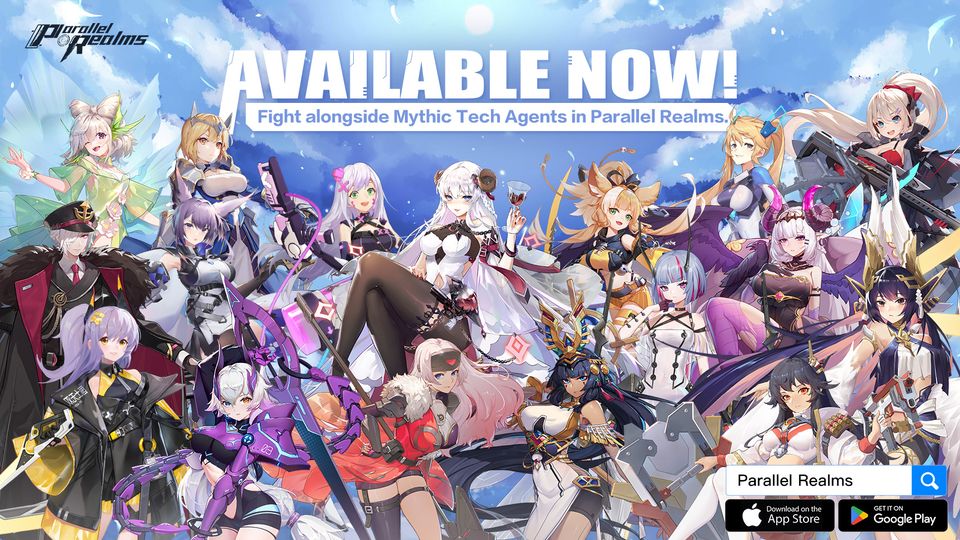
Over 100 beautiful anime agents with unique combat specialties in seven factions. Collect them and play now

BUILD THE MOST POWERFUL AGENT SQUAD
Build the ultimate formations and battle on your way to the top. Equip your heroes and strategize strong lineups to overcome your enemies in battle. Each faction enjoys formation buffs and factional advantages over other factions.

IMMERSE YOURSELF WITH DYNAMIC ANIME ACTION
Featuring vivid Live2D illustrations. Advanced animation and animated illustration with cutting-edge technology bring you an enjoyable game experience.

UNLEASH MASSIVE PROFITS WITH IDLE GAMING
The battle doesn’t stop when you join another one. Level-up even while you're AFK, and reap the rewards when you next get in, so you can jump right back into the adventure.

To meet hundreds of fantasy agents in Parallel Realms. Join combat now!

Follow us for more latest news:
Official Website:https://sshx.hwxgame.com/pre/index.html
Facebook: https://www.facebook.com/SEASSHX
Discord: https://discord.gg/b4nWjeJG9q
Emulator Features
Highest Android 15 Support Best Compatibility on Mac

With a smart button scheme and image recognition function, provide a more concise UI, and support custom button mapping to meet different needs. With a smart button scheme and image recognition, enjoy a cleaner UI and custom button mapping to fit different gaming needs on Mac.

Run multiple games independently at the same time, easily manage multiple accounts, play games while hanging. Take your Mac gaming further with multiple independent instances, easy account management, and seamless AFK gaming on Apple Silicon Mac.

Break through FPS limit, and enjoy a seamless gaming experience without lag and delay! Break through FPS limits for a seamless, lag-free gaming experience on MacBook, Mac mini, iMac, and Mac Studio.

Get a 3-second startup with 52% less memory usage and 65% more stability. Enjoy 3-second startup, 52% less memory usage, and 65% greater stability on Apple Silicon Mac.
How to Download and Play Parallel Realms on PC and Mac
Installation Guide
Download MuMuPlayer
Download MuMuPlayer and install it on your PC or Mac
Sign-in Google Store
Complete Google sign-in to access the Play Store
Search and Install
Search Parallel Realms in the Play Store
Enjoy Gaming
Enjoy 120 FPS high-def gameplay with big screen
System Requirements
Windows PC
Vulkan / DirectX supported. 4 cores + 4GB RAM recommended. Up to 240 FPS. VT required.
macOS
Recommended: Apple Silicon Mac with 8GB RAM or above. Up to 240 FPS.