Ragnarok M: Classic (macOS)
Play Ragnarok M: Classic on PC Play Ragnarok M: Classic on PC and Mac
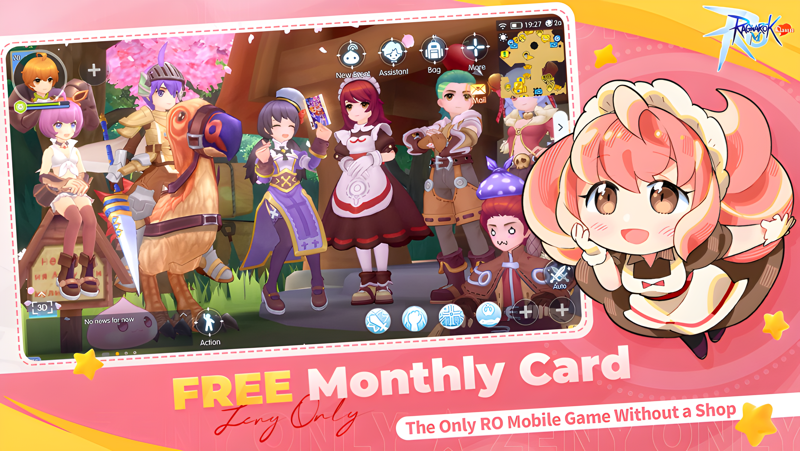
Ragnarok M: Classic, developed by Gravity Interactive, Inc., brings the beloved RO universe back to life as a fair, shop-free role playing adventure where Zeny is the only currency and every item is earned through gameplay. The frozen Land of Snowflakes expansion opens beneath the Everlasting Primefrost, while classic jobs, real-time role switching, and team based instances invite you to continue a legendary journey. Playing on PC through MuMuPlayer gives this classic adventure a larger screen, smoother controls, and a more comfortable way to explore Midgard for hours.
This reimagined RO experience removes shops entirely and builds progression around gameplay, letting you claim a lifetime Monthly Pass with perks like EXP boosts and exclusive headgears. Offline Battle Mode keeps your character grinding for rewards around the clock, while the card crafting system, safe refinement up to +15, and free unlocks for all classic jobs make character growth feel rewarding rather than risky. You can switch roles on the fly, join epic team instances against powerful bosses, and build a guild with friends as part of a community driven adventure.
MuMuPlayer enhances Ragnarok M: Classic by turning mobile grinding into a stable, high performance PC experience. With keyboard and mouse mapping, you can manage real-time job switching, movement, and skill rotations far more precisely than on a touchscreen. The larger display helps you track boss mechanics, card drops, and guild events, while MuMuPlayer's multi instance support lets you run additional accounts or keep the game active in the background. For a game built on 24/7 Offline Battle and long term progression, playing on PC through MuMuPlayer is a natural fit.
Download Ragnarok M: Classic on PC or Mac with MuMuPlayer, get a PC like gameplay along with smart control and high graphics performance.
MuMuPlayer, the top Android emulator for PC and Apple silicon Mac, delivers an optimal gaming experience with minimal RAM usage and high FPS. It also allows you to create multiple instances of the emulator and run several games simultaneously, thanks to its Multi-instance feature. Its advanced emulator features ensure smooth gameplay, even on low-end PCs.
Download and play Ragnarok M: Classic on PC or Mac with MuMuPlayer and start enjoying your gaming experience now.
About the Game
Authorized by Ragnarok Online, Ragnarok M: Classic continues the classic adventure with the Land of Snowflakes expansion. Beneath the Everlasting Primefrost, an elegy to a lost crown whispers through the frozen land, while an artificial heart pulses weakly inside the abyssal furnace. The Wind of Fate has arrived, and the call from another world is impossible to ignore.
At its core, this is a fair adventure built around gameplay rather than a cash shop. Zeny serves as the only currency, and every item can be obtained by playing. That design choice shapes the entire experience, from how you earn equipment to how you grow your character over time.
One of the most notable systems is the lifetime Monthly Pass. You can log in and claim it for free, unlocking 17 different perks that include EXP boosts, Drop Rate bonuses, and exclusive headgears. Because the pass is permanent, the benefits continue to support your journey without pressure to renew or repurchase.
Offline Battle Mode is another major feature. Even when you are away from the game, your character keeps grinding and collecting rewards 24/7. This makes progression feel continuous and pairs especially well with playing on PC through MuMuPlayer, where the game can run stably in the background while you handle other tasks.
The card crafting system gives you a practical reason to hunt monsters, Minis, and MVPs. Drop rates are increased, and the materials you gather can be used to craft powerful cards on a weekly basis. This creates a satisfying loop between combat, collection, and character improvement.
Equipment refinement is designed to remove frustration. You can enhance gear up to +15 without risk, and every refinement attempt succeeds. There is no chance of losing progress or breaking valuable equipment, which encourages you to invest in your favorite builds.
Classic jobs return with unique skill trees, and you can choose from six original roles. Real-time switching lets you adapt to different challenges without being locked into a single playstyle, and all jobs can be unlocked for free. Whether you prefer melee combat, ranged attacks, or support, the flexibility is there.
Team based content is a central part of the adventure. Epic instances pit you and your allies against mighty bosses, and the rewards make cooperation worthwhile. Guilds and community features add another layer, letting you forge friendships, build a strong guild, and explore new adventures together.
Playing Ragnarok M: Classic on PC through MuMuPlayer improves the experience in several practical ways. Keyboard and mouse controls make real-time job switching and skill execution more precise. The larger screen helps you follow boss mechanics and manage inventory or card crafting without squinting at a phone. MuMuPlayer also supports stable performance for long sessions, which matters in a game built around continuous grinding and Offline Battle rewards.
Follow the community for news and updates: Facebook: https://www.facebook.com/RagnarokMClassic Discord: https://discord.gg/romclassic Youtube: https://www.youtube.com/@ragnarokmobileclassic TikTok: https://www.tiktok.com/@ragnarokmobile_classic
Emulator Features
Highest Android 15 Support Best Compatibility on Mac

With a smart button scheme and image recognition function, provide a more concise UI, and support custom button mapping to meet different needs. With a smart button scheme and image recognition, enjoy a cleaner UI and custom button mapping to fit different gaming needs on Mac.

Run multiple games independently at the same time, easily manage multiple accounts, play games while hanging. Take your Mac gaming further with multiple independent instances, easy account management, and seamless AFK gaming on Apple Silicon Mac.

Break through FPS limit, and enjoy a seamless gaming experience without lag and delay! Break through FPS limits for a seamless, lag-free gaming experience on MacBook, Mac mini, iMac, and Mac Studio.

Get a 3-second startup with 52% less memory usage and 65% more stability. Enjoy 3-second startup, 52% less memory usage, and 65% greater stability on Apple Silicon Mac.
How to Download and Play Ragnarok M: Classic on PC and Mac
Installation Guide
Download MuMuPlayer
Download MuMuPlayer and install it on your PC or Mac
Sign-in Google Store
Complete Google sign-in to access the Play Store
Search and Install
Search Ragnarok M: Classic in the Play Store
Enjoy Gaming
Enjoy 120 FPS high-def gameplay with big screen
System Requirements
Windows PC
Vulkan / DirectX supported. 4 cores + 4GB RAM recommended. Up to 240 FPS. VT required.
macOS
Recommended: Apple Silicon Mac with 8GB RAM or above. Up to 240 FPS.