Play Streetball2: On Fire on PC and Mac
Download Streetball2: On Fire on PC or Mac with MuMuPlayer, get a PC like gameplay along with smart control and high graphics performance.
MuMuPlayer, the top Android emulator for PC and Apple silicon Mac, delivers an optimal gaming experience with minimal RAM usage and high FPS. It also allows you to create multiple instances of the emulator and run several games simultaneously, thanks to its Multi-instance feature. Its advanced emulator features ensure smooth gameplay, even on low-end PCs.
Download and play Streetball2: On Fire on PC or Mac with MuMuPlayer and start enjoying your gaming experience now.
About the Game
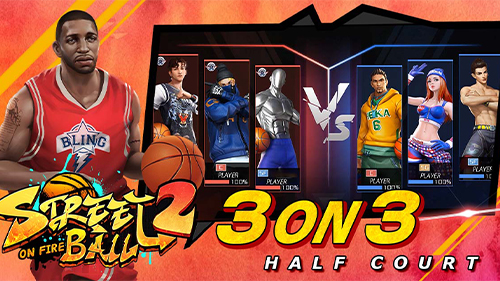
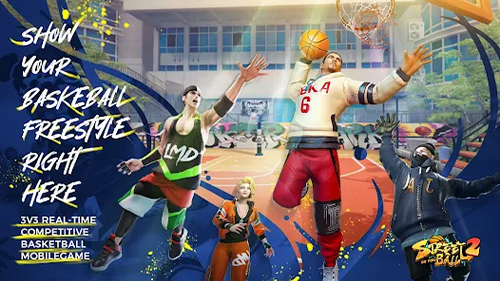
3v3 real-time basketball competitive mobile game"Streetball2: On Fire" is now officially launched. Here, you can fully showcase your superior basketball skills, unique personal fashion, and free DIY exclusive basketball court gameplay, making every element your own!

【Improved Details and Simplified Controls】
We have further optimized the control logic based on the classic virtual joystick and button control mode, making the gameplay easier to handle and extremely user-friendly! The full voice chat function has been added, making it easier for you and your friends to play together!

【Versatile Lineup with Unique Players】
Choose and mix from five basketball positions as you like, and select from a wide range of players from different countries who are waiting for your selection. Based on the latest technology in 3D modeling, every game is more realistic than ever before! Customize the abilities and personalities of your players, and create your own exclusive player according to your preferences.

【Competition is the Soul, Multiple Game Modes to Choose From】
With embedded competitive experiences and a variety of game modes, the schedule is constantly changing, making each game full of passion and freshness. Together, let's showcase the power of strength as the ultimate winner!

【Top-Notch Sensitivity, Improved Graphics for Smooth Gameplay】
The game's graphics have been further upgraded, with high-definition quality and no loss of details. The controls are silky smooth, and the dazzling moves flow like water, making every game a seamless experience without lag.


【Say No to Cheating, Fair Competition without Hacks】
With innovative anti-hack technology, we strongly oppose cheating and use your accurate judgments and peak performance to score critical points. Victory or defeat is solely based on skill, making every competition fair and just.

【DIY Basketball Court, Show Your Creativity】
Featuring world-renowned street basketball courts (such as Sunset Dongdan, Rucker Park, etc.), as well as a court DIY gameplay, every detail and graffiti decoration on the court can be created and designed freely by you, showcasing your unique and creative charm.
Emulator Features
Highest Android 15 Support Best Compatibility on Mac

With a smart button scheme and image recognition function, provide a more concise UI, and support custom button mapping to meet different needs. With a smart button scheme and image recognition, enjoy a cleaner UI and custom button mapping to fit different gaming needs on Mac.

Run multiple games independently at the same time, easily manage multiple accounts, play games while hanging. Take your Mac gaming further with multiple independent instances, easy account management, and seamless AFK gaming on Apple Silicon Mac.

Break through FPS limit, and enjoy a seamless gaming experience without lag and delay! Break through FPS limits for a seamless, lag-free gaming experience on MacBook, Mac mini, iMac, and Mac Studio.

Get a 3-second startup with 52% less memory usage and 65% more stability. Enjoy 3-second startup, 52% less memory usage, and 65% greater stability on Apple Silicon Mac.
How to Download and Play Streetball2: On Fire on PC and Mac
Installation Guide
Download MuMuPlayer
Download MuMuPlayer and install it on your PC or Mac
Sign-in Google Store
Complete Google sign-in to access the Play Store
Search and Install
Search Streetball2: On Fire in the Play Store
Enjoy Gaming
Enjoy 120 FPS high-def gameplay with big screen
System Requirements
Windows PC
Vulkan / DirectX supported. 4 cores + 4GB RAM recommended. Up to 240 FPS. VT required.
macOS
Recommended: Apple Silicon Mac with 8GB RAM or above. Up to 240 FPS.