Play Stumble Guys on PC Play Stumble Guys on PC and Mac
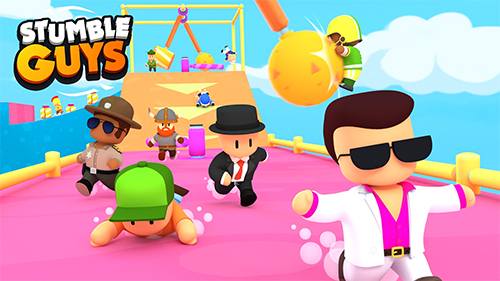
Stumble Guys is a free-to-play multiplayer party royale game developed by Kitka Games, built around fast-paced, chaotic fun where up to 32 players clash through obstacle-filled courses and elimination rounds until only one person remains standing. Packed with non-stop action and unpredictable moments, it delivers the kind of energy that keeps you coming back for round after round. You can enjoy all of this on PC by running Stumble Guys through MuMuPlayer, the Android emulator designed to bring mobile games to your desktop with a smooth and stable experience.
The game brings together a massive lineup of over 60 maps, each loaded with traps, moving hazards, lasers, giant snowballs, and all sorts of wild obstacles that keep every match feeling fresh. A ranked leaderboard system rewards consistent performance, letting competitive players earn points and climb standings while collecting unlockable rewards along the way. Customization goes deep, with thousands of skins and emotes available to personalize your stumbler, from ninjas and superheroes to crossover characters from franchises like SpongeBob and My Hero Academia. Limited-time events and seasonal modes such as Floor is Lava and Banana Bonanza regularly rotate into the game, adding new reasons to log in. The title also supports cross-play between mobile and Steam, so you can connect with friends regardless of what platform they prefer.
Playing Stumble Guys on PC through MuMuPlayer gives you meaningful advantages when navigating its chaotic courses. The larger screen makes it far easier to track all 32 players, read incoming obstacles, and time your jumps and dashes with precision that a small mobile display simply cannot match. MuMuPlayer also supports keyboard and mouse input, giving you tighter control during critical moments in elimination rounds. With stable performance and reliable frame rates on PC, you spend less time worrying about input lag and more time actually competing. Whether you are grinding ranked matches or jumping into a quick casual session, MuMuPlayer makes Stumble Guys a more comfortable and enjoyable experience from start to finish.
Download Stumble Guys on PC or Mac with MuMuPlayer, get a PC like gameplay along with smart control and high graphics performance.
MuMuPlayer, the top Android emulator for PC and Apple silicon Mac, delivers an optimal gaming experience with minimal RAM usage and high FPS. It also allows you to create multiple instances of the emulator and run several games simultaneously, thanks to its Multi-instance feature. Its advanced emulator features ensure smooth gameplay, even on low-end PCs.
Download and play Stumble Guys on PC or Mac with MuMuPlayer and start enjoying your gaming experience now.
About the Game
If you have ever wanted a multiplayer game that throws chaos, laughter, and genuine competition into one messy package, Stumble Guys delivers exactly that. Developed by Kitka Games, this free-to-play party royale title drops up to 32 players into a series of obstacle-filled stages, and the goal is straightforward: survive longer than everyone else. Every round is a scramble, with players tripping, colliding, and falling their way through increasingly intense courses until a single winner emerges from the madness.
What keeps the game feeling alive across hundreds of sessions is the sheer variety of its map pool. With over 60 distinct stages available, no two rounds play out the same way. Some maps test your timing as you dodge rolling snowballs or weave between laser grids. Others lean into pure chaos, stacking moving platforms, sudden drops, and crowd collisions into one relentless gauntlet. The unpredictability is part of the appeal, and it means even veteran players get caught off guard regularly.
Beyond the core obstacle racing, Stumble Guys layers in several systems that give players longer-term goals to chase:
- Ranked mode lets you accumulate points through competitive matches, climb a global leaderboard, and unlock exclusive rewards tied to your performance tier.
- A deep customization system offers thousands of cosmetic options, including skins, emotes, and character styles ranging from ninjas and superheroes to iconic crossover figures.
- Limited-time events bring rotating game modes into the mix, with past highlights including Floor is Lava and Banana Bonanza, each offering unique mechanics and themed rewards.
- Legendary crossover content featuring characters from SpongeBob, My Hero Academia, and other major franchises expands the cosmetic roster regularly.
The social side of the game is just as important as the competition itself. You can invite friends directly into your lobby and race against them across any available map, making it a natural fit for group play sessions. Cross-platform support between mobile and Steam means you are not limited by what device your friends happen to own, everyone can join the same match regardless of platform.
For players who want a more comfortable way to experience everything the game offers, running Stumble Guys through MuMuPlayer on PC opens up real practical benefits. The jump to a full monitor gives you far better visibility across busy, crowded stages, which matters a lot when 32 players are all scrambling through the same narrow path. Keyboard and mouse controls add a layer of precision to your movement and timing that touch input struggles to replicate during fast elimination sequences. Stable performance on PC hardware also means smoother frame rates throughout, keeping the gameplay feeling responsive even in the most hectic moments.
Whether you are chasing a top spot on the ranked ladder, collecting every skin in a seasonal event, or simply looking for a chaotic way to spend an afternoon with friends, Stumble Guys offers something worth coming back to. Its combination of accessible design, competitive depth, and constant content updates makes it one of the most consistently entertaining multiplayer party games available, and playing it on PC through MuMuPlayer only adds to that experience.
Emulator Features
Highest Android 15 Support Best Compatibility on Mac

With a smart button scheme and image recognition function, provide a more concise UI, and support custom button mapping to meet different needs. With a smart button scheme and image recognition, enjoy a cleaner UI and custom button mapping to fit different gaming needs on Mac.

Run multiple games independently at the same time, easily manage multiple accounts, play games while hanging. Take your Mac gaming further with multiple independent instances, easy account management, and seamless AFK gaming on Apple Silicon Mac.

Break through FPS limit, and enjoy a seamless gaming experience without lag and delay! Break through FPS limits for a seamless, lag-free gaming experience on MacBook, Mac mini, iMac, and Mac Studio.

Get a 3-second startup with 52% less memory usage and 65% more stability. Enjoy 3-second startup, 52% less memory usage, and 65% greater stability on Apple Silicon Mac.
How to Download and Play Stumble Guys on PC and Mac
Installation Guide
Download MuMuPlayer
Download MuMuPlayer and install it on your PC or Mac
Sign-in Google Store
Complete Google sign-in to access the Play Store
Search and Install
Search Stumble Guys in the Play Store
Enjoy Gaming
Enjoy 120 FPS high-def gameplay with big screen
System Requirements
Windows PC
Vulkan / DirectX supported. 4 cores + 4GB RAM recommended. Up to 240 FPS. VT required.
macOS
Recommended: Apple Silicon Mac with 8GB RAM or above. Up to 240 FPS.