Download & Play The Division Resurgence on PC & Mac with MuMuPlayer
The Division Resurgence is an action game that drops players into a collapsed version of New York City, where they take on the role of a Division agent tasked with restoring order in the face of total societal breakdown. With a rich open world to explore, a canon storyline built exclusively for the mobile experience, and support for both solo and cooperative play, the game delivers a dense tactical shooter experience that you can now bring to the big screen by running it through MuMuPlayer on PC.
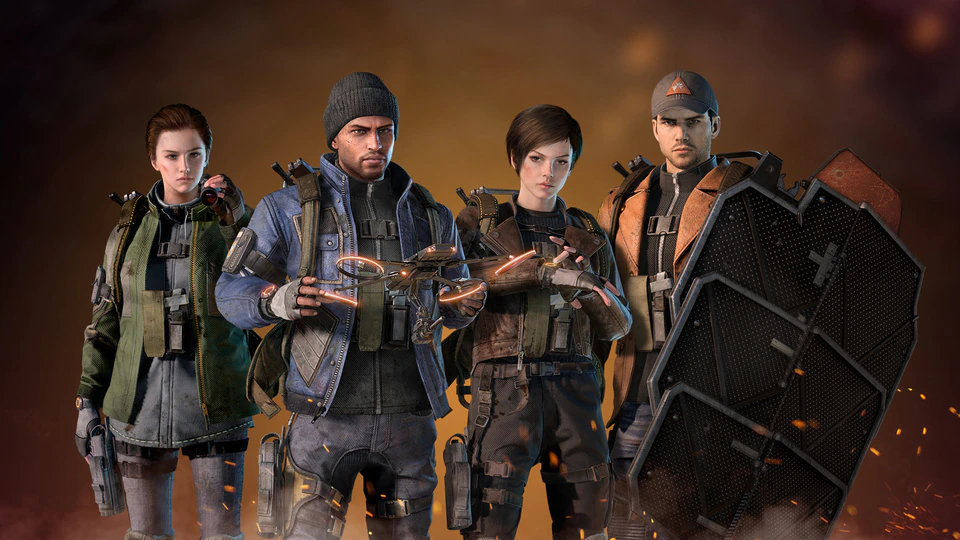
The game offers more than 100 world activities spread across iconic New York City locations, giving players plenty of content to work through as they uncover a threat that extends far beyond the city limits. A deep loot and customization system lets you collect, modify, and equip a wide range of weapons and gear, while cosmetics and skins allow for personal expression. Specializations such as the tank-focused Bulwark and the heavy-hitting Demolitionist provide distinct playstyles, each backed by unique skills, powerful ultimate abilities, and expandable skill trees. Combat spans PVE missions, competitive PVP modes, and the Dark Zone, a high-stakes PvPvE area where surviving long enough to extract your rewards is the real challenge.
Playing The Division Resurgence on PC through MuMuPlayer gives you meaningful advantages across every part of the experience. The larger display makes navigating New York City's open world far more manageable, and keyboard and mouse controls add precision to gunfights in both PVE and competitive PVP encounters. The Dark Zone, where every encounter carries serious consequences, becomes easier to handle when you have the control accuracy and screen real estate that MuMuPlayer provides. For a game built around ongoing content updates and sustained engagement, having a stable and responsive PC environment through MuMuPlayer keeps you ready for whatever the next update brings.
The Division Resurgence Game Overview
New York City has fallen. Emergency systems have failed, factions are tearing the streets apart, and what remains of civilization is held together by a handful of trained operatives known as Division agents. The Division Resurgence places you in that role, sending you into a fully realized open-world version of the city to fight back against the chaos and uncover a threat that reaches well beyond the boroughs.
Unlike scaled-down mobile adaptations of larger franchises, Resurgence was built with its own exclusive storyline set within the established Division universe. The narrative is considered canon, meaning the events you experience connect directly to the broader world of the franchise. As you move through the city and complete missions, you piece together a conspiracy that grows in scope the deeper you investigate.
The open world itself is packed with content. Players have access to more than 100 world activities, ranging from main story missions to side objectives scattered across recognizable New York landmarks. The game supports both solo play and full cooperative multiplayer, so you can tackle the city at your own pace or team up with others to take on tougher challenges together.
What sets the game apart in terms of depth is its approach to character building:
- Specializations define your role in combat, with options including the defensive Bulwark and the explosive Demolitionist
- Each specialization comes with its own set of skills and a unique ultimate ability
- Skill trees allow you to invest in and expand your chosen build over time
- You can switch specializations freely, adapting your role to whatever situation you face
The loot system adds another layer to progression. Weapons and gear drop regularly, and each piece can be modified and customized to suit your playstyle. On top of functional upgrades, a separate cosmetic layer lets you adjust the appearance of your agent through skins and outfits, keeping your character visually distinct.
Combat in Resurgence covers several distinct modes. The core PVE experience pits you against organized factions with clear motivations, including the Cleaners, who are intent on burning the city clean, and the Rikers, a criminal group driven by opportunism and greed. Each faction behaves differently and requires you to adjust your tactics accordingly.
For players who want competition, PVP modes offer direct conflict against other agents. The most complex of these is the Dark Zone, a dedicated PvPvE space where player-controlled enemies and AI threats share the same dangerous territory. Items found in the Dark Zone are only secured once you successfully extract them, which means every encounter carries real stakes.
The Division Resurgence is also designed with longevity in mind. The development team has committed to regular content updates that will introduce new story chapters, expand the world, and raise the challenge ceiling over time, making it a game that rewards long-term investment rather than offering a fixed endpoint.
The Division Resurgence PC - Emulator Features
Highest Android 15 Support Best Compatibility on Mac

With a smart button scheme and image recognition function, provide a more concise UI, and support custom button mapping to meet different needs. With a smart button scheme and image recognition, enjoy a cleaner UI and custom button mapping to fit different gaming needs on Mac.

Run multiple games independently at the same time, easily manage multiple accounts, play games while hanging. Take your Mac gaming further with multiple independent instances, easy account management, and seamless AFK gaming on Apple Silicon Mac.

Break through FPS limit, and enjoy a seamless gaming experience without lag and delay! Break through FPS limits for a seamless, lag-free gaming experience on MacBook, Mac mini, iMac, and Mac Studio.

Get a 3-second startup with 52% less memory usage and 65% more stability. Enjoy 3-second startup, 52% less memory usage, and 65% greater stability on Apple Silicon Mac.
How to Download and Play The Division Resurgence on PC and Mac
How to install The Division Resurgence on PC/Mac with MuMuPlayer
1. Download MuMuPlayer and install it on your device. It will auto-detect your system for the latest optimized version.
2. Launch the emulator, sign in to Google Play, and search for The Division Resurgence to install.
3. Once installed, click the game icon on MuMuPlayer's home page to start playing!
FAQ - The Division Resurgence on PC & Mac
Q1: Can I play The Division Resurgence on PC?
A: The Division Resurgence can be played smoothly on PC using Android emulator, like MuMuPlayer.
Q2: Why choose MuMuPlayer for The Division Resurgence?
A: MuMuPlayer ranks as the top emulator for this tactical shooter mobile game. It delivers stable 60 FPS, ultra-HD graphics, and smart keyboard/mouse & controller mapping for precise tactical aiming and movement. It also offers low RAM usage, high stability, and full Windows/macOS compatibility.
Q3: Does MuMuPlayer support keyboard, mouse and gamepad controls on PC?
A: MuMuPlayer offers fully customizable keyboard, mouse and gamepad mapping, delivering precise aiming and smooth tactical movement for immersive shooter gameplay.
Q4: How to play The Division Resurgence on Mac?
A: MuMuPlayer is the best macOS emulator for The Division Resurgence. Download MuMuPlayer for Mac, log in to MuMu Store inside the emulator, search for the game and complete installation to start playing instantly.