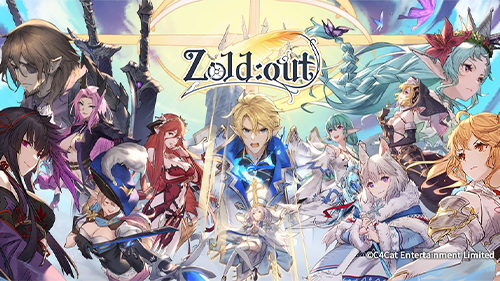
Play Zoldout Global on PC and Mac
Zoldout Global is a semi-turn-based tactical RPG that blends deck building with strategic combat, putting players in charge of a growing team of clerks as they face increasingly powerful enemies across a dynamic, non-grid battlefield. The game challenges you to combine weapon cards, manage action points, and build custom decks to outthink and outmaneuver every opponent. If you enjoy deep strategy games that reward creativity and careful planning, playing Zoldout Global on PC through MuMuPlayer gives you a larger screen and more comfortable controls to absorb every detail of the battlefield.
At the heart of Zoldout Global is a flexible action point system where each character carries 12 points per turn, and how you spend them directly shapes the outcome of every fight. You can unleash everything at once for heavy burst damage, or distribute points carefully for better positioning and longer-term advantage. The weapon deck system lets you assemble cards from a broad pool, pair them with specific characters, and refine combinations as you forge new weapons and progress through the game. Battles take place on a free-movement battlefield with no grid restrictions, giving you the freedom to reposition with precision. Boss encounters are designed to resist simple stat grinding, pushing you to analyze each enemy's behavior and tailor your approach accordingly.
Playing Zoldout Global on PC with MuMuPlayer transforms the experience in practical ways. The larger display makes it far easier to read card details, track multiple characters across the open battlefield, and plan moves without missing critical information squeezed onto a phone screen. Mouse control adds a level of accuracy when repositioning units that touchscreen play cannot always match. MuMuPlayer also supports extended play sessions without draining a mobile device's battery, so you can focus entirely on building the perfect deck and taking down the toughest bosses the game has to offer.
About the Game
Zoldout Global approaches the tactical RPG genre from a distinctive angle, fusing semi-turn-based combat with a deep deck-building system to create a experience that rewards both careful preparation and real-time decision-making. Rather than following a strict grid layout, the game places characters and enemies in an open battlefield environment where positioning is entirely up to you, opening up a wider range of tactical options than most strategy titles allow.
The foundation of every encounter is the action point system. Each character enters a fight with 12 action points, and the decisions you make about spending those points carry meaningful consequences beyond a single turn. Burn through all of them early, and you can chain together powerful sequences of moves to deal significant damage in a short window. Hold some back, and you preserve flexibility for movement, defensive adjustments, or setting up a follow-up play. The remaining points after each turn also influence how subsequent rounds unfold, so even conservative choices have a ripple effect on the overall pace of battle.
Building your weapon deck is where a large portion of the game's depth lives. The card pool covers a wide variety of weapon types, each with its own properties and combat applications. Cards are not locked to a single character, which means experimentation is built into the design. Pairing the same card with different clerks can produce very different results depending on their individual stats and abilities. As you advance through the game, you unlock the ability to forge new weapon cards, gradually expanding what is available to you and giving you more material to work with when refining your strategy. The process of narrowing down an effective deck from a large pool of options is central to the long-term progression loop.
Key features of Zoldout Global include:
- A semi-turn-based action point system that rewards both aggressive and conservative playstyles
- Fully customizable weapon decks that can be paired with different characters for varied tactical outcomes
- A free-movement, non-grid battlefield that allows precise positioning and fluid strategy
- Diverse boss encounters designed to challenge strategic thinking rather than raw power
- Weapon forging systems that expand your card options as you progress
- A roster of recruitable clerks that grow alongside your deck-building choices
Boss fights deserve particular attention because they are built to resist the most common shortcut in RPG progression: simply leveling up until the numbers work in your favor. Each boss has a distinct behavior pattern and set of weaknesses that players need to study and respond to. Adjusting your team composition, rethinking your deck loadout, and approaching the fight with a new angle are often more effective than grinding for higher stats. This philosophy keeps every major encounter feeling like a genuine puzzle rather than a test of patience.
The non-grid battlefield reinforces this problem-solving approach by removing the artificial limitations that tile-based layouts impose. You can move characters to exact positions, create meaningful distance between a fragile unit and an aggressive enemy, or cluster your team for a coordinated push. The extra layer of spatial control adds texture to fights that might otherwise feel routine.
For players looking to recruit clerks, forge the most powerful weapon combinations, and work through the game's toughest encounters, Zoldout Global offers a substantial amount of content to explore across its battle system, deck construction tools, and boss roster.
Emulator Features
Highest Android 15 Support Best Compatibility on Mac

With a smart button scheme and image recognition function, provide a more concise UI, and support custom button mapping to meet different needs. With a smart button scheme and image recognition, enjoy a cleaner UI and custom button mapping to fit different gaming needs on Mac.

Run multiple games independently at the same time, easily manage multiple accounts, play games while hanging. Take your Mac gaming further with multiple independent instances, easy account management, and seamless AFK gaming on Apple Silicon Mac.

Break through FPS limit, and enjoy a seamless gaming experience without lag and delay! Break through FPS limits for a seamless, lag-free gaming experience on MacBook, Mac mini, iMac, and Mac Studio.

Get a 3-second startup with 52% less memory usage and 65% more stability. Enjoy 3-second startup, 52% less memory usage, and 65% greater stability on Apple Silicon Mac.
How to Download and Play Zoldout Global on PC and Mac
Installation Guide
Download MuMuPlayer
Download MuMuPlayer and install it on your PC or Mac
Sign-in Google Store
Complete Google sign-in to access the Play Store
Search and Install
Search Zoldout Global in the Play Store
Enjoy Gaming
Enjoy 120 FPS high-def gameplay with big screen
System Requirements
Windows PC
Vulkan / DirectX supported. 4 cores + 4GB RAM recommended. Up to 240 FPS. VT required.
macOS
Recommended: Apple Silicon Mac with 8GB RAM or above. Up to 240 FPS.