

Stella Sora Reroll Guide - Best Characters & Reroll Tips
What doesn’t kill you makes you stronger, even in Stella Sora; the concept remains the same. You have to get stronger to progress in the game. And in Stella Sora, you get stronger with the Trekkers that you have and make them stronger over time. So, in the whole grand scheme of things, you have to get Trekkers, and one great method to get them is by rerolling. While rerolling is a fairly usual aspect in all of the gacha games, you will have to understand how it works.
Eager for more guides? Please review the link below:
- Stella Sora Tier List 2025: Best Characters Ranked
- Stella Sora Character Progression for Beginners - How to Choose and Build the Characters
- Stella Sora Complete Beginner Guide: Essential Tips to Start Strong and Progress Fast
If you want to push your Stella Sora gameplay experience to the max, consider play Stella Sora on PC and Mac with MuMuPlayer. With this guide, learn which characters dominate the meta, how to build the strongest team, and how to experience smoother gameplay on PC or Mac using MuMuPlayer.
So, if you are trying to get stronger by rerolling, we will help you understand the crux of it. In this guide, we will cover rerolling in depth, how to do it, and the best Trekkers to reroll for in Stella Sora. Let’s get started!
What Is Rerolling in Stella Sora
So, if you have played any sort of gacha games in the past, you will come across rerolling. So, it is a process of launching your game again and again until you get the best characters. Even in the small world of Stella Sora, you will find that rerolling exists. But the sad thing is that you can only do it at the start of the game. You only got one shot at getting the Trekkers that you want.
Now, mostly, players will wonder why they have to reroll in Stella Sora or any gacha game. The main reason for rerolling is to start strong. The lineup that you have at the start of the game will take you far. It will help you make decent progress in the game. So, if you have a powerful five-star trekker at the start of the game, you can clear the early stages of the game with ease. You are basically setting yourself up for a better road to success.
Especially with rerolling, you are using the initial free banner to get the best character. While in the short term, you might not see value in it. In the long term, things become much easier than before.
How To Reroll In Stella Sora
As we mentioned before, the main intention of rerolling for the characters is to get strong Trekkers at the start. The strong ones are usually the five-star ones, which have a low chance. While the other ratings are also decently good enough for the jobs, they aren’t the best. So, you are gonna grind to get the five-star Trekkers from the banners. The chances look like:
- There is only a 2 percent chance of summoning a 5-star trekker.
- With the 4-star ones, you have a better chance, with an 8% chance of summoning.
- But, mainly, everybody will be getting 3-star trekkers, as these characters have a 90% chance of being summoned.
Here, the banner we will play around with is the Opening Act Banner. This banner is a beginner limited one, which gets you 200 pulls, and then lets you keep one. You will be trying to get the strongest combination of Trekkers for your team.
So, start the game, complete the tutorial, and get the rewards. Then you will go to the banners and summon characters. With the characters, check if they are good for you or not. If the Trekkers are good, keep the account. Otherwise, if the summons are not great, trash the account and start over. So, here are the steps to start with rerolling in Stella Sora:
Step 1. Download MuMuplayer
Step 2. Create Multiple Devices
Open the Multi-Instance Manager in MuMuPlayer and create new devices.
- Option 1: Manually create a new device.
- Option 2: Enter how many devices you want to make (for example, 3–5).
- Option 3: Wait for the creation process to complete — once done, all devices will appear in your list.
This allows you to manage several accounts simultaneously and perform rerolls much faster.
Step 3. Enable Multi-Tasking
Click on the device windows and open the Synchronizer tool. This feature mirrors your actions across all open devices — letting you play, summon, and reset multiple accounts at the same time.
Step 4. Download Stella Sora
Next, install Stella Sora inside MuMuPlayer.
You can do this in two ways:
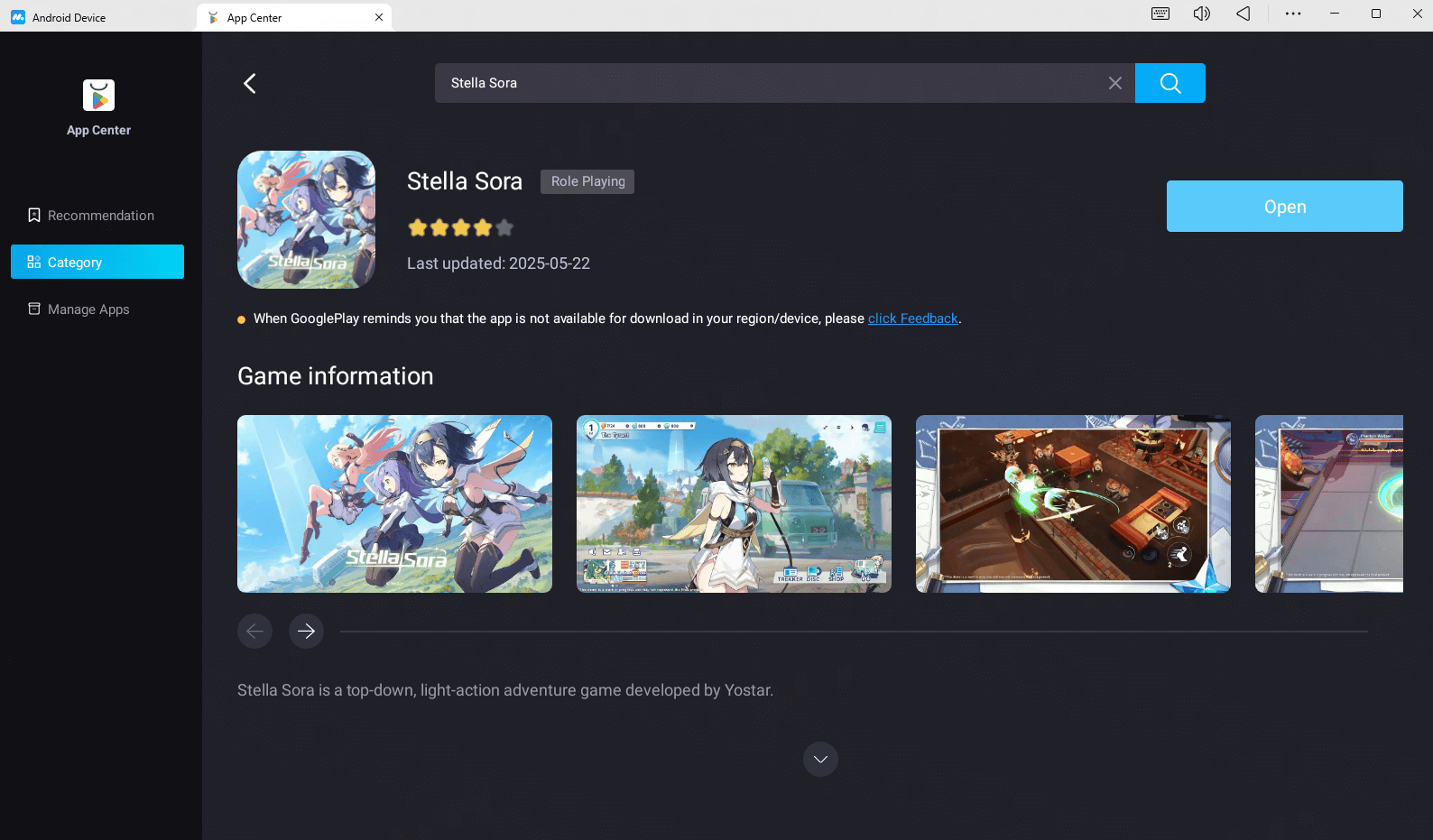
- From MuMu App Center: Search for Stella Sora and download it directly.
- From an APK file: Download the game’s APK from Google or a trusted site, then drag and drop it into your MuMuPlayer window to install.
Step 5. Complete the Tutorial
Launch Stella Sora and play through the tutorial until you clear Story Stage 1–3. This will unlock your first set of rewards and the summon (gacha) feature.
Step 6. Claim Your Rewards
Open your in-game mailbox and collect all available rewards:
- Pre-registration bonuses
- Beginner or daily login rewards
These usually include premium currency or summon tickets needed for rerolling.
Step 7. Perform Summons
Use your collected rewards to roll for characters through Normal Summons or Pickup Summons.
You can control multiple accounts at once through MuMuPlayer’s synchronizer — allowing you to pull for your desired characters much faster.
Step 8. Check Results and Restart
Didn’t get your target character? Don’t worry.
- Open the Settings menu in the game.
- Select Clear Cache or Delete Data to reset your progress.
- Restart the game and repeat the tutorial.
With multiple synchronized instances, you can repeat the reroll cycle across several accounts at the same time — dramatically speeding up the process. Keep rerolling until you get your dream start!
Tips for Faster Rerolling
- Use Synchronizer to control all your accounts at once.
- Mark or back up the account with your best roll (via guest or Google binding).
- Run multiple devices (3–5) to save time during rerolls.
- Avoid unnecessary updates or background apps to keep all instances running smoothly.
The Best Trekkers to Reroll For
Through rerolling, you are trying to get the best trekkers for your starting lineup. So, what are the best ones:
- Chitose - She is an all-rounder. At the start, she was really strong. Even through the game and at the later stages of the game, Chitose will deliver. So, she is a great summon to reroll for.
- Nazuna - She is a Terra Trekker. While on paper, she is not the best, but if you join her with Gerie, you can dominate the game.
- Gerie - So, along with Nazuna, she is a Terra Trekker. When you pair her up with Nazuna, she can shine. Gerie can perform well in battle.
- Nanoha - She is a Ventus Trekker. Throughout the game, she can do you a solid, even towards the end of the game.
- Freesia - An Aqua Trekker. She is great and easy to build. And throughout the game, your damage output is consistent.
Playing Stella Sora on PC or Mac with MuMuPlayer
Do you want to experience mobile games like never before? Then play mobile games on MuMuPlayer! MuMuPlayer is an emulator that is easy to download and use. To use it, you just download the MuMuPlayer launcher and open it. From there, you can download any available games you want. It has no ads, is lightweight, and can run almost all mobile games stably at Ultra HD. MuMuPlayer is currently available for Windows and macOS.
Key Features of MuMuPlayer that Enhance Your Stella Sora Gameplay on PC and macOS
Why should you play Stella Sora on a PC or Mac using MuMuPlayer instead of mobile? Because MuMuPlayer has several outstanding benefits over playing on mobile, which are:
- Smooth Performance and Frame Rates: Playing Stella Sora on your PC or Mac through MuMuPlayer means uninterrupted gaming performance at up to 240 FPS.
- Precise and Comfortable Controls: Playing on a PC or Mac with a keyboard and mouse gives you better and precise control over your actions in Stella Sora, which will significantly improve your gameplay experience.
- HD Graphics: MuMuPlayer provides increased graphical fidelity by improving visuals and animations so Stella Sora looks even more crisp and stunning than if you're playing it on mobile.
- Convenience and Accessibility: MuMuPlayer is free, lightweight, and easy to download, which makes it easy for anyone to play Stella Sora on their Windows PC or Mac.
Conclusion
Rerolling is a drag, to be honest. You have to repeat things over and over again. At a particular point, even the tutorial will start getting boring. But to get strong in Stella Sora, you have to grind. Regardless, during the grind, have fun. May your battles be fruitful and victorious, and may your rerolls get you the characters that you want.
End of Article