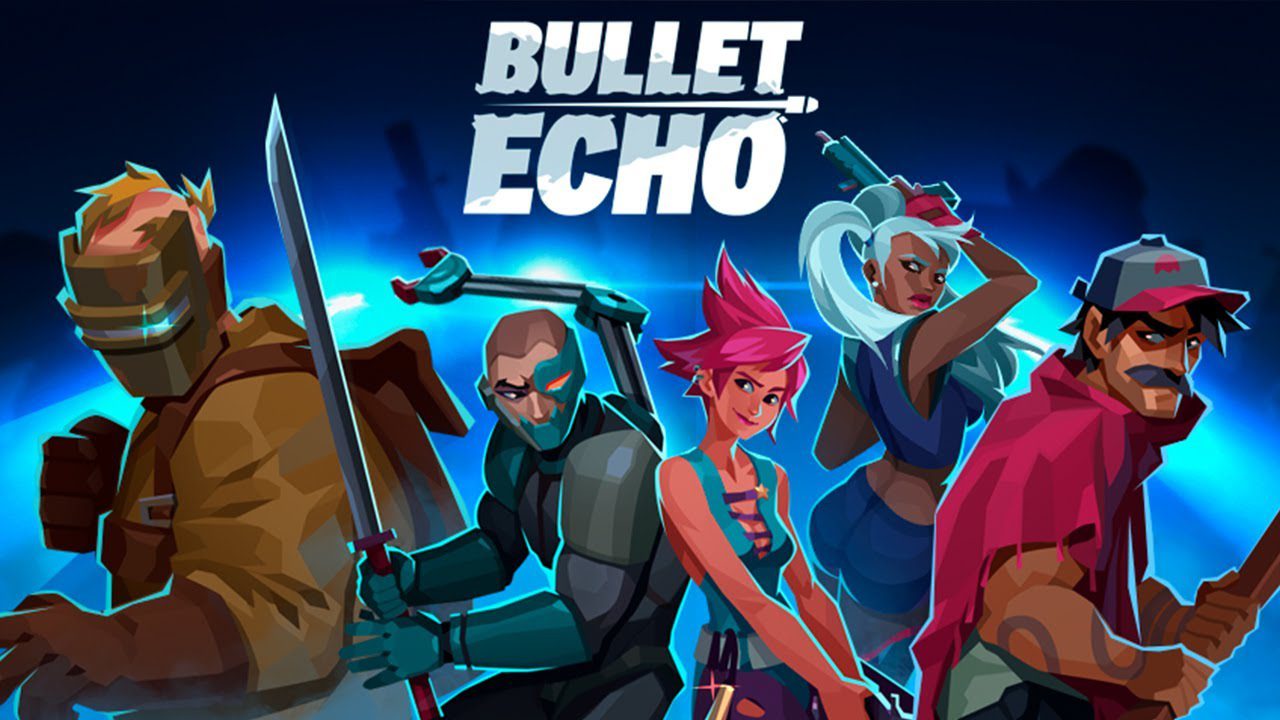
Play Bullet Echo: PVP Shooter on PC and Mac
Download Bullet Echo: PVP Shooter on PC or Mac with MuMuPlayer, get a PC like gameplay along with smart control and high graphics performance.
MuMuPlayer, the top Android emulator for PC and Apple silicon Mac, delivers an optimal gaming experience with minimal RAM usage and high FPS. It also allows you to create multiple instances of the emulator and run several games simultaneously, thanks to its Multi-instance feature. Its advanced emulator features ensure smooth gameplay, even on low-end PCs.
Download and play Bullet Echo: PVP Shooter on PC or Mac with MuMuPlayer and start enjoying your gaming experience now.
About the Game
Like action shooters? Bullet Echo is an exciting PvP tactical top-down shooter. Use stealth, team up, and shoot to win in this shooting game with multiplayer!

Choose from dozens of different heroes with unique play styles, guns and abilities.
Unite with friends, set a strategy, and be the last team standing when the battle ends!

- UNIQUE TACTICAL STEALTH ACTION: Your vision is limited by the beam of a flashlight, but you can hear enemies' steps and shots.
- DESIGNED FOR TEAM PLAY: Start playing with friends online right away! The level of your hero is matched with the highest level in the party.
- MULTIPLE GAME MODES: Team vs Team, Solo and Battle Royale mode with 5 small teams on one map.
- UNLOCK AND UPGRADE NEW HEROES: Each hero has a unique set of abilities. Rank up to boost your hero's power and unlock new iguns perks.
- BE ON TOP: Participate in championships, accomplish missions, and receive valuable resources, mastering the art of CQB and precise bullet control.
- GET REWARDS: Fight to unlock new heroes with unique guns, new perks, maps and game modes!

From the creators of Cut the Rope.

Join our official Discord server to connect with other players and share your Bullet Echo tactics: https://discord.gg/u4ApPB7

Bullet Echo is free to download and play, however, some in-game items can be purchased for real money, including randomised items.

_____________________________________________________________________________
SUBSCRIPTION "GIFTS OF TECHNOLOGY"
Subscribe to “Gifts of Technology” and unlock premium benefits in Bullet Echo!

Gain access to exclusive perks from day one:
– +50% Bonus Kitty Bank Reward in the Vault Event;
– Random hero motivated for free every week, starting immediately;
– 10 Technology Tokens daily via free chests;
– Access the Technology store section with exclusive roulettes and offers;
– +20% bonus Festival Special Resource gain;
– +20% more Mimic Eyes in the Mimic Hunt event;
– Unique nickname effect to stand out.

Choose between two subscription options:
$5/week or $10/month (prices may vary by region).

If you subscribe via the Google Play, your account will be charged on confirmation. Subscriptions auto-renew unless turned off at least 24 hours before the current period ends.

You can disable auto-renewal anytime in your Google Play settings. Active subscriptions cannot be canceled mid-period. No subscription? No problem — you can still play Bullet Echo for free.
_____________________________________________________________________________

Terms of Use: https://www.zeptolab.com/terms
Privacy Policy: https://www.zeptolab.com/privacy
Emulator Features

With a smart button scheme and image recognition function, provide a more concise UI, and support custom button mapping to meet different needs.

Run multiple games independently at the same time, easily manage multiple accounts, play games while hanging.

Break through FPS limit, and enjoy a seamless gaming experience without lag and delay!

Get a 3-second startup with 52% less memory usage and 65% more stability.
How to Download and Play Bullet Echo: PVP Shooter on PC and Mac
Installation Guide
Download MuMuPlayer
Download and install MuMuPlayer on your PC or Mac
Sign-in Google Store
Complete Google sign-in to access the Play Store
Search and Install
Search Bullet Echo: PVP Shooter in the Play Store
Enjoy Gaming
Enjoy 120 FPS high-def gameplay with big screen
System Requirements
Windows PC
Vulkan / DirectX supported. 4 cores + 4GB RAM recommended. Up to 240 FPS. VT required.
macOS
Recommended: Apple Silicon Mac with 8GB RAM or above. Up to 240 FPS.