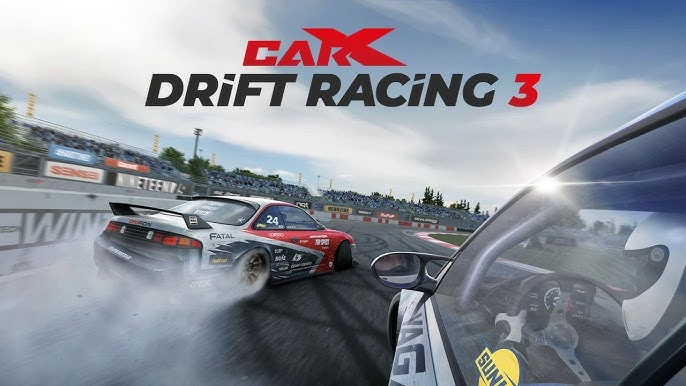
Play CarX Drift Racing 3 on PC and Mac
CarX Drift Racing 3 is the latest entry in the acclaimed drift racing series developed by CarX Technologies, LLC. Built for fans of motorsport culture, this mobile racing game puts you behind the wheel of highly customizable drift cars as you chase sideways glory across iconic tracks from around the world. Whether you are cutting through solo campaigns or going door-to-door with rivals online, the game delivers a deep and rewarding racing experience that you can now enjoy on your PC through MuMuPlayer.
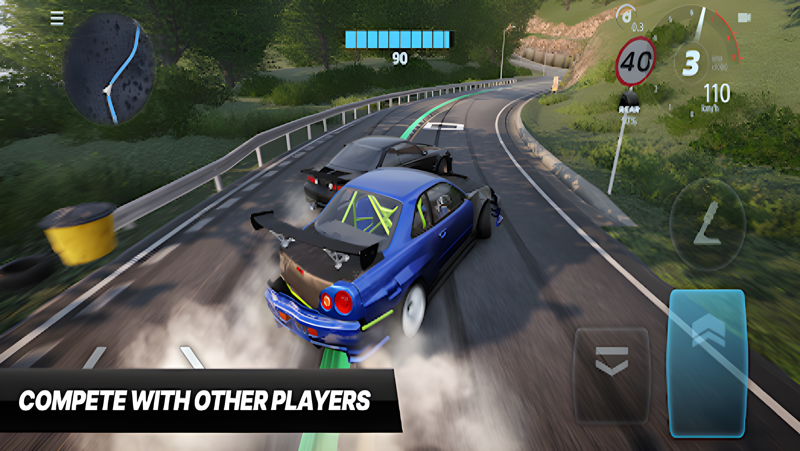
The game brings a rich lineup of features that go well beyond simply driving in circles. A historical campaign spanning five chapters traces the evolution of drift racing from its origins in the 1980s all the way to the modern scene. With over 80 customizable and upgradeable parts available per car, building your ideal machine is a genuine process of craftsmanship. A realistic damage system means body panels can break or detach mid-race, visibly affecting how your car handles. Licensed venues such as Ebisu, Nurburgring, ADM Raceway, and Dominion Raceway provide the backdrop, while the Fans and Sponsors system lets you grow your reputation, unlock new tracks, and secure contract rewards. The TOP 32 Championship mode pits you against adaptive AI opponents in single-player competition, and the Configuration Editor gives you the freedom to design custom tandem race layouts with editable markings, obstacles, and fences.
Playing CarX Drift Racing 3 on PC through MuMuPlayer transforms the experience in meaningful ways. The larger screen gives you a much clearer view of each track, making it easier to read corners and time your entries during tandem races. Keyboard and mouse controls offer more precise input for managing throttle, steering, and counter-steering compared to small touchscreen gestures. MuMuPlayer also provides stable performance so intensive sessions with detailed car damage and busy online lobbies stay smooth throughout. If you are serious about building the perfect drift setup and competing at a high level, MuMuPlayer is the ideal platform to run CarX Drift Racing 3.
About the Game
CarX Drift Racing 3 arrives as a long-anticipated continuation of one of mobile gaming's most respected motorsport franchises. Developed by CarX Technologies, LLC, the game is built around the art and culture of drifting, and it approaches that subject with a level of depth rarely seen on mobile platforms. From the moment you fire up your first car and hit the track, it is clear that this is a game designed for people who genuinely care about how a vehicle moves, not just how fast it goes.
At the core of the experience is a historical campaign that functions almost like a guided tour through the world of drift racing. Five distinct campaigns walk players through the origins of the sport in the 1980s and follow its evolution up to the present day. Each chapter adds context to the competition, making progress feel meaningful rather than repetitive. This narrative framework gives the game a sense of purpose that goes beyond simply unlocking the next car or track.
The garage system is one of the standout elements of the game. Each vehicle supports more than 80 individual parts available for customization and performance upgrades. You are not just changing paint jobs or swapping tires. You are tuning engines, selecting components, and gradually shaping a machine that reflects your preferred style of driving. The breadth of options means two players can field the same base car and end up with very different machines on track.
CarX Drift Racing 3 also introduces a detailed damage model that adds real consequences to aggressive driving. Body panels can crack, warp, and tear away during races, and these are not purely cosmetic effects. Damage visibly changes how the car behaves, which means protecting your vehicle is part of the competitive strategy, not just an aesthetic concern.
The track selection reinforces the game's commitment to authenticity. Players compete on real-world venues including:
- Ebisu Circuit, one of the most famous drift facilities in Japan
- Nurburgring, the legendary German road course
- ADM Raceway and Dominion Raceway, representing the North American scene
- Additional tracks unlocked through the Fans and Sponsors progression system
That progression system ties your on-track performance to a broader reputation economy. Fulfilling sponsorship contracts and growing your fan base opens up new opportunities, new venues, and additional rewards. It gives the game a sense of a career unfolding rather than a simple series of disconnected events.
For solo players who want a structured challenge, the TOP 32 Championship mode delivers competitive single-player racing against AI that adapts to your driving. The opposition responds to your tendencies, which keeps the challenge honest as your skills develop.
For those who want to create rather than just compete, the Configuration Editor is a genuinely flexible toolset. You can select a track, edit lane markings, position opponents, and place obstacles or fences to design custom tandem race scenarios. It is a feature that extends the life of the game considerably and gives creative players a real outlet.
Running CarX Drift Racing 3 through MuMuPlayer on PC adds a layer of comfort and control to all of these features. The expanded display makes every corner and competitor easier to track, and stable PC performance keeps the experience consistent across long sessions.
Emulator Features

With a smart button scheme and image recognition function, provide a more concise UI, and support custom button mapping to meet different needs.

Run multiple games independently at the same time, easily manage multiple accounts, play games while hanging.

Break through FPS limit, and enjoy a seamless gaming experience without lag and delay!

Get a 3-second startup with 52% less memory usage and 65% more stability.
How to Download and Play CarX Drift Racing 3 on PC and Mac
Installation Guide
Download MuMuPlayer
Download and install MuMuPlayer on your PC or Mac
Sign-in Google Store
Complete Google sign-in to access the Play Store
Search and Install
Search CarX Drift Racing 3 in the Play Store
Enjoy Gaming
Enjoy 120 FPS high-def gameplay with big screen
System Requirements
Windows PC
Vulkan / DirectX supported. 4 cores + 4GB RAM recommended. Up to 240 FPS. VT required.
macOS
Recommended: Apple Silicon Mac with 8GB RAM or above. Up to 240 FPS.