Construction Simulator 4 Lite (macOS)
Play Construction Simulator 4 Lite on PC and Mac
Download Construction Simulator 4 Lite on PC or Mac with MuMuPlayer, get a PC like gameplay along with smart control and high graphics performance.
MuMuPlayer, the top Android emulator for PC and Apple silicon Mac, delivers an optimal gaming experience with minimal RAM usage and high FPS. It also allows you to create multiple instances of the emulator and run several games simultaneously, thanks to its Multi-instance feature. Its advanced emulator features ensure smooth gameplay, even on low-end PCs.
Download and play Construction Simulator 4 Lite on PC or Mac with MuMuPlayer and start enjoying your gaming experience now.
About the Game
[ATTENTION: Please be advised that you need a device with 4 GB of RAM to run this game!]

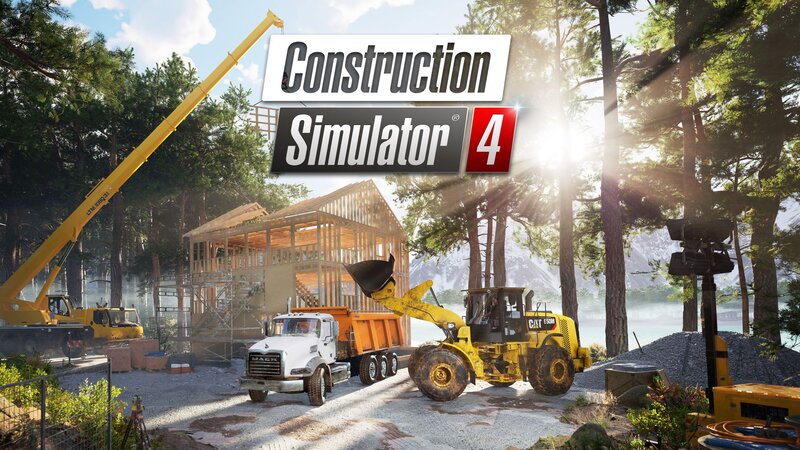
Construction Simulator returns to mobile devices!

In Construction Simulator 4 Lite Edition, you can enjoy a free sample of the latest installment in the Construction Simulator series, with a limited number of missions, as well as a sneak peek of the multiplayer mode. Do you like the game? You can buy the full, ad-free version easily through the in-app purchase to access all the jobs, machines, and districts!

This time, your work will take you to the scenic woods and bays of a fictional map inspired by the North American landscape.

Explore three large areas within a map never before seen in the Construction Simulator series! Experience an extensive campaign unique to the individual locations, featuring special challenges you must overcome with your growing construction empire.

Expect the return of familiar brands and machines from our licensed partners ATLAS, BELL Equipment, Bobcat, BOMAG, CASE, Caterpillar, Kenworth, Liebherr, Mack Trucks, MAN Truck & Bus, MEILLER Kipper, PALFINGER, STILL, and the WIRTGEN GROUP. You can also look forward to expanding your business with machines and vehicles from newly added brands like CIFA, DAF, and Scania.

Featuring:
•  80+ vehicles, machines, and attachments from 20+ license partners
•  Over 100 construction jobs
•  Multiplayer mode for 2 players
•  Original map, inspired by the Canadian landscape
•  Detailed cockpit views
Emulator Features

With a smart button scheme and image recognition function, provide a more concise UI, and support custom button mapping to meet different needs.

Run multiple games independently at the same time, easily manage multiple accounts, play games while hanging.

Break through FPS limit, and enjoy a seamless gaming experience without lag and delay!

Get a 3-second startup with 52% less memory usage and 65% more stability.
How to Download and Play Construction Simulator 4 Lite on PC and Mac
Installation Guide
Download MuMuPlayer
Download and install MuMuPlayer on your PC or Mac
Sign-in Google Store
Complete Google sign-in to access the Play Store
Search and Install
Search Construction Simulator 4 Lite in the Play Store
Enjoy Gaming
Enjoy 120 FPS high-def gameplay with big screen
System Requirements
Windows PC
Vulkan / DirectX supported. 4 cores + 4GB RAM recommended. Up to 240 FPS. VT required.
macOS
Recommended: Apple Silicon Mac with 8GB RAM or above. Up to 240 FPS.