
Play DRAGON BALL GEKISHIN SQUADRA on PC and Mac
DRAGON BALL GEKISHIN SQUADRA is a team-based action game set in the beloved Dragon Ball universe, where squads of four clash in fast-paced battles full of iconic energy and hard-hitting combat. Built around cooperative play and strategic role selection, the game brings together players who want to experience the thrill of Dragon Ball battles in a competitive multiplayer format. You can now bring this full experience to a bigger screen by playing DRAGON BALL GEKISHIN SQUADRA on PC through MuMuPlayer.
The game centers on 4 vs 4 team battles where every player contributes a defined role to the squad. You can choose from Damage dealers built for aggressive, high-output offensive play, Tanks that absorb punishment and hold ground for the team, or Technical heroes who support allies and disrupt the enemy with versatile abilities. As matches progress, characters grow stronger, unlocking powerful skills that can change the momentum of an entire fight. Beyond the combat itself, the game offers meaningful personalization options including character skins, entrance animations, and finisher animations, letting you express your personality through your favorite heroes. Cross-platform play connects PC, console, and mobile players together, and account linking ensures your progress and collections carry over between devices.
Playing DRAGON BALL GEKISHIN SQUADRA on PC through MuMuPlayer gives you a genuine advantage in a game where timing and coordination matter greatly. The larger display makes it easier to track all four squad members, spot incoming enemies, and read the battlefield at a glance. MuMuPlayer's stable performance helps you stay consistent during intense skill exchanges, and customizable controls let you assign abilities in a way that feels natural for your playstyle. Whether you are coordinating with teammates or chasing objectives solo, MuMuPlayer provides the smooth and responsive environment this kind of action game demands.
About the Game
DRAGON BALL GEKISHIN SQUADRA throws players into the heart of the Dragon Ball universe through a competitive team battle format unlike anything the franchise has offered before. Rather than focusing on one-on-one duels, the game builds its entire experience around squad cooperation, objective control, and strategic hero selection. Two teams of four go head to head, and winning comes down not just to raw power but to how well a team communicates, plays its roles, and adapts as the match evolves.
At the core of the gameplay is a progression system that unfolds during each match. Players grow stronger as battles continue, gradually unlocking skills that can shift the tide of a fight at critical moments. This dynamic power curve means no engagement feels predetermined. A team that falls behind early can rally through smart play and timely ability use, and the presence of enemy bosses on the battlefield adds another layer of challenge that both sides must navigate.
Hero selection plays a central role in how teams are built and how matches are approached. Three distinct roles define how each character functions on the battlefield:
- Damage: These heroes prioritize aggression and direct offensive output. They are built to hunt down enemy players, apply constant pressure, and close out fights decisively.
- Tank: Durable and difficult to take down, Tank heroes protect their teammates by drawing enemy attention and holding key positions. They give the team room to operate by absorbing attacks that would otherwise disrupt the backline.
- Technical: Flexible and strategic, Technical heroes support allies while creating problems for the opposing team. Whether through buffs, disruption, or utility abilities, they elevate the performance of the entire squad.
Building a balanced team across these roles is where a lot of the game's depth lives. A squad of pure Damage heroes may hit hard but lack staying power, while a team with no Tank presence can be overwhelmed quickly at objectives. The interplay between roles rewards players who think about composition before a match even begins.
Personalization gives players a way to make the experience their own beyond the battlefield. Character skins allow you to change how your chosen hero looks, while entrance animations and special finisher animations let you add personality to every appearance and every knockout. The combination of cosmetic options means two players running the same hero can present entirely different versions of that character depending on their preferences.
Cross-platform play connects the game's community across PC, console, and mobile. You are not limited to playing only with people on the same device type, which keeps matchmaking populated and ensures you can team up with friends regardless of what platform they prefer. Account linking takes this further by letting you carry your full progress and collection between your own devices without starting over, making transitions between platforms seamless.
For players who want to experience DRAGON BALL GEKISHIN SQUADRA with greater precision and comfort, running the game through MuMuPlayer on PC brings clear benefits. The expanded screen gives you a much wider view of the action, helping you track teammates, spot threats, and time your abilities more effectively. Stable frame delivery reduces the chance of disruption during high-stakes moments, and the ability to configure your control layout means you can set up your skills and movement in a way that suits how you naturally play. The full Dragon Ball GEKISHIN SQUADRA experience is available and ready to run on PC through MuMuPlayer.
Emulator Features

With a smart button scheme and image recognition function, provide a more concise UI, and support custom button mapping to meet different needs.

Run multiple games independently at the same time, easily manage multiple accounts, play games while hanging.

Break through FPS limit, and enjoy a seamless gaming experience without lag and delay!

Get a 3-second startup with 52% less memory usage and 65% more stability.
How to Download and Play DRAGON BALL GEKISHIN SQUADRA on PC and Mac
Installation Guide
Download MuMuPlayer
Download and install MuMuPlayer on your PC or Mac
Sign-in Google Store
Complete Google sign-in to access the Play Store
Search and Install
Search DRAGON BALL GEKISHIN SQUADRA in the Play Store
Enjoy Gaming
Enjoy 120 FPS high-def gameplay with big screen
System Requirements
Windows PC
Vulkan / DirectX supported. 4 cores + 4GB RAM recommended. Up to 240 FPS. VT required.
macOS
Recommended: Apple Silicon Mac with 8GB RAM or above. Up to 240 FPS.
Get more news, guides and redeem codes about DRAGON BALL GEKISHIN SQUADRA
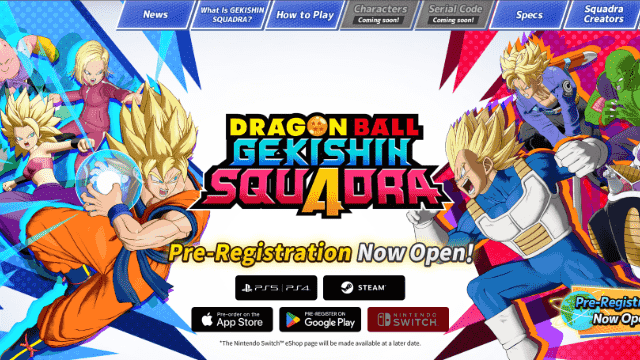
Dragon Ball: Gekishin Squadra Redeem Codes(February 2026) – Free Rewards and How to Redeem
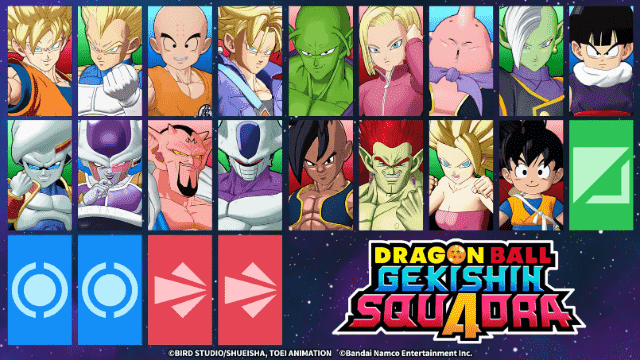
Dragon Ball: Gekishin Squadra Best Character Tier List – Ranked Guide
Dragon Ball: Gekishin Squadra Beginner Guide – Essential Tips for New Players
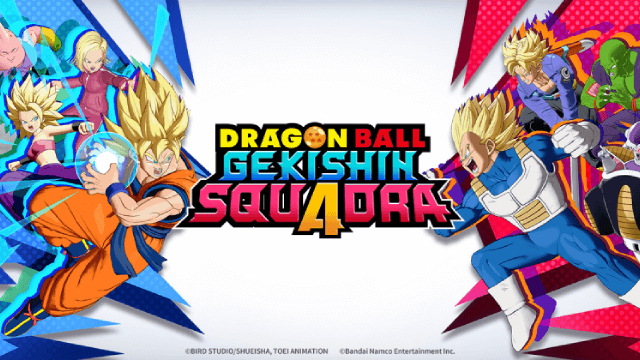
DRAGON BALL GEKISHIN SQUADRA Network Test: Join, Features & Game Modes Leaked!

