
Play Dunk City Dynasty on PC Play Dunk City Dynasty on PC and Mac
Dunk City Dynasty is an officially NBA and NBPA licensed street basketball mobile game that brings the energy of 3v3 streetball directly to your fingertips. Featuring some of the biggest names in professional basketball, including Stephen Curry, Kevin Durant, Luka Dončić, James Harden, and Paul George, the game lets you take the hardwood drama off the arena and onto the streets. Whether you prefer a fast-paced 11-point match or a full 5v5 court experience, Dunk City Dynasty delivers authentic hoops action packed with signature moves, ranked competition, and deep player customization. Running it on PC through MuMuPlayer gives you a larger screen and more responsive controls to make every play count.
The game stands out with its official NBA and NBPA licensing, giving players access to real rosters from iconic franchises like the Golden State Warriors, Los Angeles Lakers, New York Knicks, Houston Rockets, Miami Heat, Milwaukee Bucks, and Portland Trail Blazers. You can pull off true-to-life signature moves such as deep three-pointers, poster dunks, and step-back jumpers that recreate the most memorable moments from professional basketball. Beyond the on-court action, the game features a player progression system where you train and upgrade your athletes over time, alongside extensive outfit customization options ranging from official NBA jerseys to casual streetwear. Multiplayer modes allow you to team up with friends for cooperative play or compete in ranked matches to prove your dominance.
Playing Dunk City Dynasty on PC through MuMuPlayer transforms the experience in meaningful ways. The expanded screen real estate makes reading the court significantly easier, letting you spot open teammates and react to defenders with far greater precision than on a small mobile display. MuMuPlayer's keyboard and mouse support gives you sharper input control for timing those critical dunks and pull-up jumpers, while the stable PC performance ensures smooth frame rates during intense ranked matches. If you enjoy long grinding sessions to upgrade your roster or want to fine-tune your customization without eye strain, running the game on a bigger screen through MuMuPlayer is the most comfortable way to play.
Download Dunk City Dynasty on PC or Mac with MuMuPlayer, get a PC like gameplay along with smart control and high graphics performance.
MuMuPlayer, the top Android emulator for PC and Apple silicon Mac, delivers an optimal gaming experience with minimal RAM usage and high FPS. It also allows you to create multiple instances of the emulator and run several games simultaneously, thanks to its Multi-instance feature. Its advanced emulator features ensure smooth gameplay, even on low-end PCs.
Download and play Dunk City Dynasty on PC or Mac with MuMuPlayer and start enjoying your gaming experience now.
About the Game
Dunk City Dynasty brings the spectacle of professional basketball to the streets with an officially licensed mobile experience backed by both the NBA and NBPA. Rather than confining players to traditional arena settings, this game places real NBA superstars into high-energy streetball scenarios where the rules are simpler but the competition is just as fierce. The roster includes some of the most recognizable athletes in the sport today, and every player comes equipped with their real-world signature style of play.
At the heart of the experience is a 3v3 streetball format that keeps matches fast and exciting. However, the game does not limit you to a single mode. Players can jump into an 11-point game for a quick and decisive contest, scale up to a full 5v5 court match for a more traditional basketball feel, or enter ranked competitive play to measure their skills against others around the world. Each format brings its own rhythm and demands a different approach, giving the game strong replay value across all skill levels.
The player selection is one of the most compelling aspects of Dunk City Dynasty. Pulling from legendary franchises such as the Golden State Warriors, Los Angeles Lakers, New York Knicks, Houston Rockets, Miami Heat, Milwaukee Bucks, and Portland Trail Blazers, you can build a squad that reflects your favorite teams or simply assembles the most powerful lineup possible. Stars like Stephen Curry, Kevin Durant, Paul George, James Harden, and Luka Dončić are available to recruit, each bringing their distinctive on-court abilities into the game
Key features that define the Dunk City Dynasty experience include:
- Official NBA and NBPA licensing that ensures authentic player names, teams, and signature moves
- Smooth and responsive controls designed to execute deep three-pointers, poster dunks, and step-back jumpers with natural timing
- Multiple game modes including 3v3 streetball, 11-point matches, full 5v5 courts, and ranked competitive play
- A player development system that lets you train athletes and upgrade their skills progressively over time
- Extensive customization options covering official NBA jerseys and street fashion outfits to create personalized looks
- Cooperative multiplayer support so you can team up with friends for shared matches
Customization goes beyond just assembling a roster. The game allows you to dress your players in everything from authentic NBA uniforms to stylish streetwear, letting you craft a visual identity that stands out on the court. This layer of personalization adds a creative dimension that complements the competitive side of the game.
For players who want to get the most out of their time with Dunk City Dynasty, running it on PC through MuMuPlayer is a practical choice. The larger display makes spatial awareness on the court much easier to manage, which is especially useful in tight 3v3 situations where positioning and court vision are critical. The more precise input methods available on PC help with executing timing-sensitive moves consistently, and the stable performance of a desktop environment means fewer interruptions during important ranked sessions. Whether you are grinding to improve your squad or competing seriously for a top rank, MuMuPlayer provides a comfortable and capable platform to support the full depth of what Dunk City Dynasty has to offer
Emulator Features
Highest Android 15 Support Best Compatibility on Mac

With a smart button scheme and image recognition function, provide a more concise UI, and support custom button mapping to meet different needs. With a smart button scheme and image recognition, enjoy a cleaner UI and custom button mapping to fit different gaming needs on Mac.

Run multiple games independently at the same time, easily manage multiple accounts, play games while hanging. Take your Mac gaming further with multiple independent instances, easy account management, and seamless AFK gaming on Apple Silicon Mac.

Break through FPS limit, and enjoy a seamless gaming experience without lag and delay! Break through FPS limits for a seamless, lag-free gaming experience on MacBook, Mac mini, iMac, and Mac Studio.

Get a 3-second startup with 52% less memory usage and 65% more stability. Enjoy 3-second startup, 52% less memory usage, and 65% greater stability on Apple Silicon Mac.
How to Download and Play Dunk City Dynasty on PC and Mac
Installation Guide
Download MuMuPlayer
Download MuMuPlayer and install it on your PC or Mac
Sign-in Google Store
Complete Google sign-in to access the Play Store
Search and Install
Search Dunk City Dynasty in the Play Store
Enjoy Gaming
Enjoy 120 FPS high-def gameplay with big screen
System Requirements
Windows PC
Vulkan / DirectX supported. 4 cores + 4GB RAM recommended. Up to 240 FPS. VT required.
macOS
Recommended: Apple Silicon Mac with 8GB RAM or above. Up to 240 FPS.
Get more news, guides and redeem codes about Dunk City Dynasty
Tyler Herro Guide in Dunk City Dynasty - Strengths, Best Builds & Team Fits
Victor Wembanyama Guide in Dunk City Dynasty - Best Tips, Builds & Playstyle
Dunk City Dynasty Best 3v3 Teams 2026 - Meta Compositions That Win Games
Dunk City Dynasty Super League Guide - Manager Mode vs Control Mode Explained
Paul Pierce Guide in Dunk City Dynasty - Is He Worth It & Best Ways to Use Him?
Allen Iverson Guide in Dunk City Dynasty - Best Build, Stats & Team Compositions
Dunk City Dynasty 1st Anniversary Guide - All Events, Rewards & Best Strategies (2026)
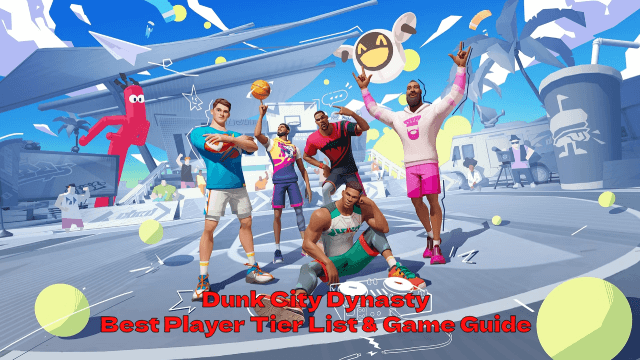
Dunk City Dynasty Best Player Tier List & Game Guide - Unlock Your Team's MVP Potential!