
Play Lost Sword on PC Play Lost Sword on PC and Mac
Lost Sword is an anime-style role-playing game that blends fast-paced side-scrolling action with a rich fantasy narrative rooted in Arthurian legend. Players step into a world thrown into chaos after the fall of King Uther Pendragon, joining a cast of vivid characters on a quest to recover the legendary Holy Sword Excalibur. With real-time combat, idle progression, and a story full of personality and charm, Lost Sword delivers an engaging RPG experience worth exploring on PC through MuMuPlayer.
The game stands out through several strong pillars that shape the overall experience. Its 2D anime aesthetic is brought to life with detailed character animations and spectacular skill cutscenes that feel closer to a full animation than a typical mobile game. Combat runs in real time with AFK progression, meaning your party continues to grow and battle even when you step away. The roster includes memorable characters such as Fairy Queen Morgana, Princess Elizabeth, and the loyal knight Bedivere, each fully voiced by professional voice actors who add real depth to every interaction. Beyond the main story, players can take on various dungeons, single raid battles, and rotating event content to keep the progression loop fresh and rewarding.
Playing Lost Sword on PC through MuMuPlayer transforms the experience in meaningful ways. The larger screen makes every animated skill cutscene and 2D character illustration significantly more impressive, letting you appreciate the visual quality the developers clearly invested in. AFK battles benefit from a stable desktop environment where the game can run continuously without draining a phone battery or interrupting other mobile use. MuMuPlayer also provides smoother performance during real-time combat sequences, and keyboard or mouse controls can make navigating menus and managing your party roster far more convenient. For a game built around both action and story, the PC setup through MuMuPlayer is simply a better way to enjoy everything Lost Sword has to offer.
Download Lost Sword on PC or Mac with MuMuPlayer, get a PC like gameplay along with smart control and high graphics performance.
MuMuPlayer, the top Android emulator for PC and Apple silicon Mac, delivers an optimal gaming experience with minimal RAM usage and high FPS. It also allows you to create multiple instances of the emulator and run several games simultaneously, thanks to its Multi-instance feature. Its advanced emulator features ensure smooth gameplay, even on low-end PCs.
Download and play Lost Sword on PC or Mac with MuMuPlayer and start enjoying your gaming experience now.
About the Game
Lost Sword drops players into a mythologized fantasy world inspired by Arthurian legend, where the disappearance of the Holy Sword Excalibur has triggered a struggle for power across the kingdom of Britannia. According to ancient prophecy, the sacred blade forged by fairies would return only when the blessing of the Red Dragon faded. That moment arrived when King Uther Pendragon was overthrown by the False King Vortigern, setting off a great disorder that nobody could ignore. His daughter, Princess Elizabeth, ventured out to reclaim Excalibur and was never seen again. From this collapse of order, a new journey begins.
Players take on the role of Ethan, who finds himself entangled in this conflict alongside a group of companions that each bring their own personality and history to the adventure. The core cast is one of the game's most notable strengths:
- Morgana, the Fairy Queen, carries centuries of knowledge from countless rebirths but has retreated from the world, preferring the quiet of solitude until circumstances pull her back into the fray.
- Princess Elizabeth projects warmth and grace on the surface, but beneath her gentle demeanor lies an iron resolve that becomes apparent as the story unfolds.
- Bedivere is a knight of Britannia who wears his emotions openly, prone to tears but fiercely devoted to Elizabeth and the cause she represents.
- Ethan himself is the newcomer to this world, serving as the player's entry point into the larger conflict surrounding Excalibur.
The gameplay combines real-time 2D side-scrolling combat with idle RPG mechanics, allowing your party to continue progressing through battles even when you are not actively playing. This AFK system makes it easy to build strength over time without requiring constant attention, while the real-time action sequences remain engaging when you do step in directly. Combat is built around a growing party, and the variety of content keeps the experience from feeling repetitive. Players can push through story dungeons, take on solo raid encounters, and participate in rotating event stages that introduce new challenges and rewards on a regular basis.
Visual presentation plays a major role in what makes Lost Sword feel distinct. The character designs are rendered with high-quality 2D anime illustrations, and each fighter moves with fluid, carefully crafted animations during battle. Skill activations trigger cutscene-style sequences that carry the energy of a proper animated series, making character collection genuinely satisfying beyond just the numbers they contribute to your team. The visual experience is matched by a full voice cast, with professional actors bringing each character to life in a way that adds real texture to story scenes and battle interactions alike.
For players who want the most from this experience, running Lost Sword on PC through MuMuPlayer is a natural choice. The larger display does justice to the detailed artwork and skill animations, while the stable desktop environment suits the game's AFK progression model perfectly. Rather than leaving a phone running for extended sessions, MuMuPlayer keeps things efficient and comfortable. The overall package, combining a compelling story, strong character writing, and visually polished action RPG gameplay, makes Lost Sword one of the more well-rounded anime RPGs available, and MuMuPlayer gives you the best conditions to enjoy all of it.
Emulator Features
Highest Android 15 Support Best Compatibility on Mac

With a smart button scheme and image recognition function, provide a more concise UI, and support custom button mapping to meet different needs. With a smart button scheme and image recognition, enjoy a cleaner UI and custom button mapping to fit different gaming needs on Mac.

Run multiple games independently at the same time, easily manage multiple accounts, play games while hanging. Take your Mac gaming further with multiple independent instances, easy account management, and seamless AFK gaming on Apple Silicon Mac.

Break through FPS limit, and enjoy a seamless gaming experience without lag and delay! Break through FPS limits for a seamless, lag-free gaming experience on MacBook, Mac mini, iMac, and Mac Studio.

Get a 3-second startup with 52% less memory usage and 65% more stability. Enjoy 3-second startup, 52% less memory usage, and 65% greater stability on Apple Silicon Mac.
How to Download and Play Lost Sword on PC and Mac
Installation Guide
Download MuMuPlayer
Download MuMuPlayer and install it on your PC or Mac
Sign-in Google Store
Complete Google sign-in to access the Play Store
Search and Install
Search Lost Sword in the Play Store
Enjoy Gaming
Enjoy 120 FPS high-def gameplay with big screen
System Requirements
Windows PC
Vulkan / DirectX supported. 4 cores + 4GB RAM recommended. Up to 240 FPS. VT required.
macOS
Recommended: Apple Silicon Mac with 8GB RAM or above. Up to 240 FPS.
Get more news, guides and redeem codes about Lost Sword
Lost Sword Stonehenge Dungeon Guide: Boss Mechanics, Rewards & Clear Tips
Lost Sword Pets Guide: Best Pets, Skills & How to Upgrade Them
Lost Sword Merlin Guide: Skills, Builds & Best Team Compositions
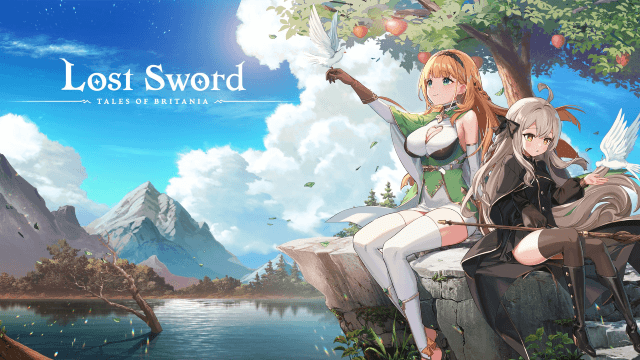
Lost Sword Newest Codes: Free Diamonds, Guinevere & More (February 2026)
Lost Sword Lancelot Guide: Best Skills, Gear & Team Synergy
Lost Sword Raid Guide: Boss Mechanics, Team Builds & Reward Farming Tips
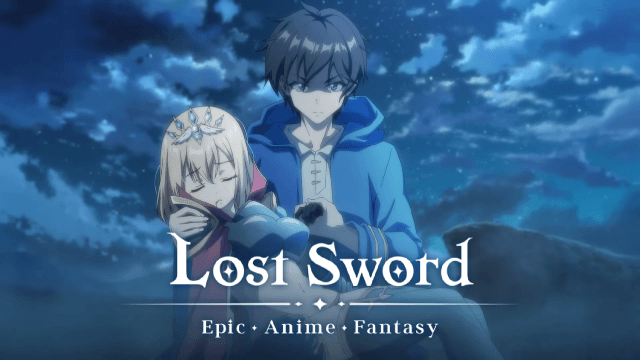
Unleash Your Potential: Discover the Best Teams in Lost Sword
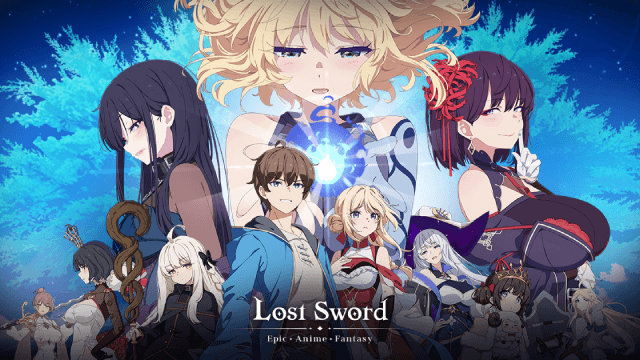
Lost Sword Reroll Guide: Master the Art of Optimizing Your Start


