How to fix the issue that 'the file is occupied during data migration on MuMuPlayer'?
Aug 30, 2023
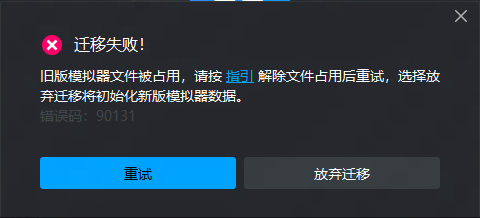
When some users upgrade the old version of MuMuPlayer 6/X to MuMuPlayer 12, there may be a prompt saying "new version/old version file is occupied" (as shown in the figure below). Users who encounter such problems can try the following solutions:
Method one:
Check whether MuMuPlayer 12 or MuMuPlayer 6/X is currently running on your computer. If so, please exit the emulator and try again.
Method Two:
Check whether applications such as computer housekeeper and anti-virus software are enabled. If so, please close such software and try again.
Method three:
If none of the above methods work, you can try restarting your computer, and complete the migration according to the data migration guide tutorial >> Click to view the tutorial.
End of Article
Keyword: