Enabling VT in Acer PCs
Jul 7, 2025
1. Reboot your PC, and access BIOS:
Right on the first interface after booting, repeatedly press "F2" (most common)/Delete to access BIOS
Remark: (What if I keep on failing to access BIOS because the startup happens too fast?)
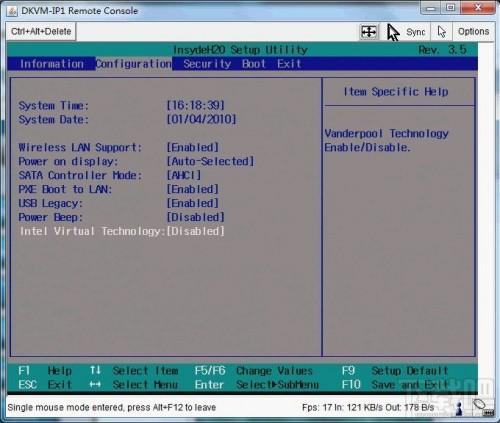
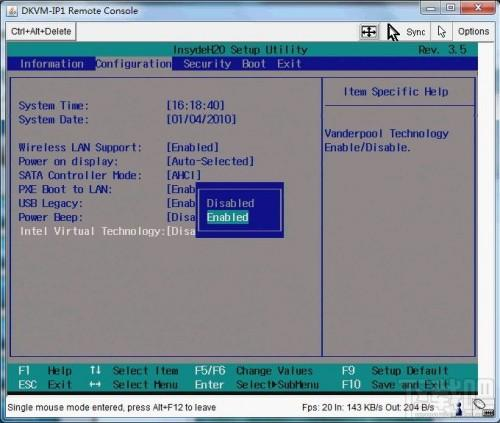
2. Find the setting and enable VT:
Press the right arrow key and get to the "Configuration" menu → select "Intel Virtualization Technology" and change it to "Enabled" → press F10 to save the setting and exit.
End of Article
Keyword: