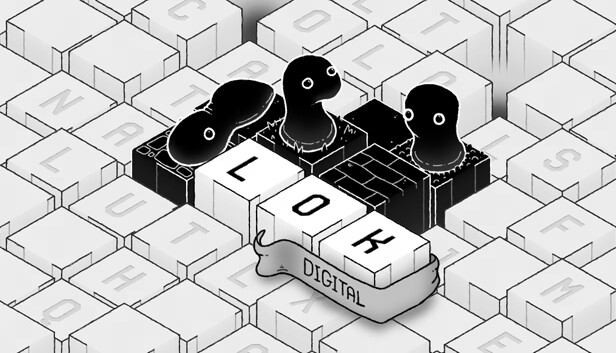
Play LOK Digital on PC and Mac
Download LOK Digital on PC or Mac with MuMuPlayer, get a PC like gameplay along with smart control and high graphics performance.
MuMuPlayer, the top Android emulator for PC and Apple silicon Mac, delivers an optimal gaming experience with minimal RAM usage and high FPS. It also allows you to create multiple instances of the emulator and run several games simultaneously, thanks to its Multi-instance feature. Its advanced emulator features ensure smooth gameplay, even on low-end PCs.
Download and play LOK Digital on PC or Mac with MuMuPlayer and start enjoying your gaming experience now.
About the Game
Learn the rules as you go and uncover how each new word has its own special ability to change the world around you in deep and surprising ways. Expand your vocabulary through 15 distinct worlds, each one exploring a new mechanic and completely shaking up the way you solve puzzles.

With approachable mechanics and mind-bending gameplay, LOK Digital invites you to return every day for new procedurally generated puzzles showcasing the breadth and depth of mechanics.

Bring the LOK creatures to life by spelling words that shape their world. They can only live on blackened tiles, so by solving puzzles you're expanding their horizons and helping their civilization thrive.

Features:
* Intuitive mechanics and many magical words to find and learn
* Elegant, hand-drawn art style and meditative, entrancing soundtrack
* Learn the nuances of the LOK language across the 150+ puzzle campaign
* Demonstrate your mastery of the mechanics in the expertly crafted daily puzzle mode and compete on the leaderboards
* Based on the critically acclaimed puzzle book, LOK
* Published by the award-winning puzzle experts, Draknek & Friends, the team behind A Monster’s Expedition, Cosmic Express, Bonfire Peaks, and more
Emulator Features

With a smart button scheme and image recognition function, provide a more concise UI, and support custom button mapping to meet different needs.

Run multiple games independently at the same time, easily manage multiple accounts, play games while hanging.

Break through FPS limit, and enjoy a seamless gaming experience without lag and delay!

Get a 3-second startup with 52% less memory usage and 65% more stability.
How to Download and Play LOK Digital on PC and Mac
Installation Guide
Download MuMuPlayer
Download and install MuMuPlayer on your PC or Mac
Sign-in Google Store
Complete Google sign-in to access the Play Store
Search and Install
Search LOK Digital in the Play Store
Enjoy Gaming
Enjoy 120 FPS high-def gameplay with big screen
System Requirements
Windows PC
Vulkan / DirectX supported. 4 cores + 4GB RAM recommended. Up to 240 FPS. VT required.
macOS
Recommended: Apple Silicon Mac with 8GB RAM or above. Up to 240 FPS.