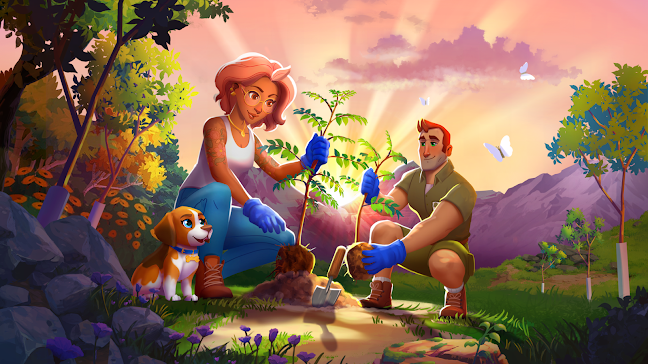
Play Longleaf Valley: Merge Game on PC and Mac
Download Longleaf Valley: Merge Game on PC or Mac with MuMuPlayer, get a PC like gameplay along with smart control and high graphics performance.
MuMuPlayer, the top Android emulator for PC and Apple silicon Mac, delivers an optimal gaming experience with minimal RAM usage and high FPS. It also allows you to create multiple instances of the emulator and run several games simultaneously, thanks to its Multi-instance feature. Its advanced emulator features ensure smooth gameplay, even on low-end PCs.
Download and play Longleaf Valley: Merge Game on PC or Mac with MuMuPlayer and start enjoying your gaming experience now.
About the Game
Want to make a difference with the games you play?

You PLAY, we PLANT!

As featured on The Game Awards 2024, celebrate 2 MILLION TREES planted by players!

Discover a natural world where you merge to plant real trees! Our mission is to save the planet with mobile games. With over 1 MILLION real trees planted in worldwide conservation projects, you can join our community and fight climate change today.

= KEY FEATURES =

ECO ADVENTURE
Uncover a devastating climate disaster that needs your help. Expose secret crimes of the mystery corporation behind the park's destruction! Work with the town mayor, the park ranger and the investigative journalist to unravel the gossip and travel a world that stretches the county on a road trip of eco fun!

RESTORE THE VALLEY
Discover a valley that lies in ruin. Design and renovate nature's garden to a sunny paradise; from the quiet creek to the heights of Mount Fairview. Your mission is to protect the environment. Only you can stop the development of a mansion, cafe, restaurant, diner or manor on the green land.

COLLECT ANIMALS
Rescue animals and give them a home on your merge board. Exciting special events give exclusive animal rewards! Discover new merge opportunities with an evolving events calendar. Compete with other players from around the world for extra boosters!

MERGE TO RELAX
Relax and reconnect with nature as you create a green world. It's the easy, cozy way to make a difference for the planet!

PLANT REAL TREES
We partner with Eden: People + Planet to plant real trees and protect our world. Download to fight climate change and plant your first tree today!

Longleaf Valley is the number one game for a better planet!

——————————

Follow us for more merge fun!
Facebook: @longleafvalley
Instagram: @longleafvalley
TikTok: @longleafvalley

——————————

For Player Support: help@treespleasegames.com
Our Conservation Partner: https://www.eden-plus.org/
Privacy Policy: https://www.treespleasegames.com/privacy
Terms of Service: https://www.treespleasegames.com/terms
Emulator Features

With a smart button scheme and image recognition function, provide a more concise UI, and support custom button mapping to meet different needs.

Run multiple games independently at the same time, easily manage multiple accounts, play games while hanging.

Break through FPS limit, and enjoy a seamless gaming experience without lag and delay!

Get a 3-second startup with 52% less memory usage and 65% more stability.
How to Download and Play Longleaf Valley: Merge Game on PC and Mac
Installation Guide
Download MuMuPlayer
Download and install MuMuPlayer on your PC or Mac
Sign-in Google Store
Complete Google sign-in to access the Play Store
Search and Install
Search Longleaf Valley: Merge Game in the Play Store
Enjoy Gaming
Enjoy 120 FPS high-def gameplay with big screen
System Requirements
Windows PC
Vulkan / DirectX supported. 4 cores + 4GB RAM recommended. Up to 240 FPS. VT required.
macOS
Recommended: Apple Silicon Mac with 8GB RAM or above. Up to 240 FPS.