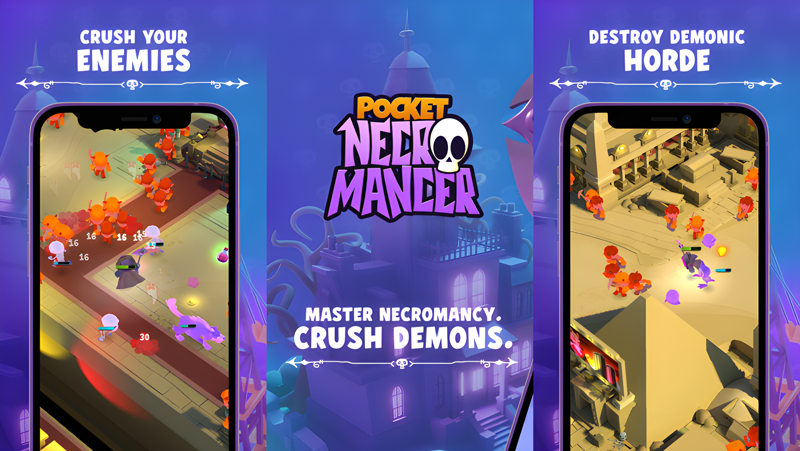
Play Pocket Necromancer on PC and Mac
Download Pocket Necromancer on PC or Mac with MuMuPlayer, get a PC like gameplay along with smart control and high graphics performance.
MuMuPlayer, the top Android emulator for PC and Apple silicon Mac, delivers an optimal gaming experience with minimal RAM usage and high FPS. It also allows you to create multiple instances of the emulator and run several games simultaneously, thanks to its Multi-instance feature. Its advanced emulator features ensure smooth gameplay, even on low-end PCs.
Download and play Pocket Necromancer on PC or Mac with MuMuPlayer and start enjoying your gaming experience now.
About the Game
🎮🌌 Dive into “Pocket Necromancer”, a dynamic action-packed RPG game set in a whimsical modern-day fantasy world. Your mission? To crush the demonic hordes and defend your territory. Choose your skills wisely, summon your loyal minions, and prepare for a humorous yet thrilling adventure! Game Features: 👹 Crush Demons Ready your weapons and strategic skills to face waves of demons. From fiery imps to colossal fiends, each battle is a test of your tactical prowess and determination to protect your realm. 🧙♂️ Summon Your Minions Assemble a diverse army of minions, each with unique abilities and personalities. From spell-casting mages to sturdy skeletal knights, select your squad and lead them into battle against encroaching evil forces. 🛡️ Defend Your Castle Your mansion isn't just your home; it's your fortress. Ward off the most powerful demons and protect your sanctum from being overrun. 🔄 Progress & Choose Your Skills Progress through an engaging storyline filled with challenges and rewards. As you advance, choose from a broad range of skills to enhance your strategies and strengthen your minions. ⚙️ Upgrade Your Arsenal Invest in your arsenal and empower your minions with superior weapons and magical artifacts. Each upgrade enhances your team's fighting abilities, crucial for surviving tougher foes. 🌍 Explore Various Environments Journey through enchanted forests, shadowy caves, and mystical landscapes plagued by demonic entities. Each environment offers unique strategic challenges and hidden secrets waiting to be discovered. 👾 Battle Various Monsters and Demons Face a plethora of monstrous creatures and vile demons in epic battles. Learn their weaknesses, devise counterstrategies, and lead your minions to victory in each encounter. 💫 Why Play Pocket Necromancer: 🌟 Engaging RPG elements mixed with strategy and action. 🌟 Hilarious interactions and storyline that keep you entertained. 🌟 Diverse environments that offer new adventures and tactics. 🌟 Continuous updates and improvements based on player feedback. 🛡️🔥 As darkness threatens your world, only you and your minion army stand in the way of the demonic forces. Download "Pocket Necromancer" now and become the hero you were destined to be! 🎉👾 Embrace the challenge, enjoy the adventure, and crush the demons to protect your mystical abode!
Emulator Features

With a smart button scheme and image recognition function, provide a more concise UI, and support custom button mapping to meet different needs.

Run multiple games independently at the same time, easily manage multiple accounts, play games while hanging.

Break through FPS limit, and enjoy a seamless gaming experience without lag and delay!

Get a 3-second startup with 52% less memory usage and 65% more stability.
How to Download and Play Pocket Necromancer on PC and Mac
Installation Guide
Download MuMuPlayer
Download and install MuMuPlayer on your PC or Mac
Sign-in Google Store
Complete Google sign-in to access the Play Store
Search and Install
Search Pocket Necromancer in the Play Store
Enjoy Gaming
Enjoy 120 FPS high-def gameplay with big screen
System Requirements
Windows PC
Vulkan / DirectX supported. 4 cores + 4GB RAM recommended. Up to 240 FPS. VT required.
macOS
Recommended: Apple Silicon Mac with 8GB RAM or above. Up to 240 FPS.