Play Pokémon TCG Pocket on PC and Mac with MuMuPlayer
Pokémon TCG Pocket, developed by The Pokemon Company, brings the beloved card game experience to mobile devices, letting you collect and battle with Pokémon cards anytime and anywhere. When you play this card game on PC through MuMuPlayer, you unlock a richer and more comfortable way to enjoy its strategic depth and beautiful artwork on a larger screen.
This game reimagines card collecting with daily free booster packs, featuring both nostalgic illustrations and brand new cards exclusive to this title. It introduces immersive cards with a unique 3D effect that makes you feel like you are stepping into the illustration itself. Social features let you share select cards with friends, trade to expand your collection, and showcase your binders to players worldwide. For those seeking competition, casual battles and ranked matches are available to test your skills.
Playing Pokémon TCG Pocket on a PC with MuMuPlayer enhances every aspect of the game. The larger display highlights the detailed card art and the new immersive 3D illustrations in a way a phone screen cannot match. Using a mouse and keyboard provides precise control for building decks, managing your binder, and navigating menus, making the entire collecting and trading experience smoother. MuMuPlayer's stable performance ensures your battles run without lag, which is crucial for ranked matches where every move counts, while the multi-instance feature lets you manage different collections or practice strategies more efficiently than on mobile alone.
What Is Pokémon TCG Pocket? Free Pokémon Card Game Intro
Pokémon Trading Card Game Pocket, created by The Pokemon Company, has reached players across 150 countries and regions. It delivers the classic Pokémon card collecting and battling experience directly to your fingertips, optimized for play whenever and wherever you choose. The game balances the joy of opening packs with the thrill of strategic combat, all within a polished mobile interface that translates beautifully to a PC environment when using an emulator like MuMuPlayer.
A core part of the daily routine involves opening booster packs. The game provides two free packs every day, giving you consistent opportunities to grow your collection without spending. Inside these packs, you will discover a wide range of cards. Some feature nostalgic artwork pulled from the history of the Pokémon TCG, while others are completely new illustrations created exclusively for this digital version. This blend of old and new makes every pack opening feel like a meaningful event.
One of the most celebrated features is the introduction of immersive cards. These special cards go beyond static images, offering illustrations with a distinct three-dimensional depth. When you view one, the perspective shifts and the scene comes alive, creating the sensation that you have jumped directly into the world depicted on the card. This visual innovation sets the game apart from traditional digital card games and is particularly stunning when viewed on a larger PC monitor via MuMuPlayer.
The social and collection features are designed to encourage interaction. A sharing function allows you to give a card of 1 to 4 diamond rarity to an in-game friend and receive one back in return. This mutual exchange system helps both players fill gaps in their collections. The trade feature expands this further, enabling you to swap certain cards with friends to complete your sets. Trading now supports cards from the most recent booster packs, as well as cards of 2-star rarity, Shiny 1, and Shiny 2 rarities, giving you more flexibility than ever to hunt down the cards you need most.
Once you have built a collection you are proud of, the game provides tools to display it. You can organize your favorite cards into binders and customize display boards, then showcase these creations to a global audience. It is a creative outlet that lets you curate themes, highlight rare pulls, or simply arrange cards in a visually pleasing way for others to admire.
For players looking to test their strategies, the battle system offers accessible yet deep gameplay. Quick casual battles are perfect for experimenting with new deck ideas or enjoying a fast match. If you want a more serious challenge, ranked matches allow you to climb the ladder and prove your skills against other dedicated players. The rules are faithful to the Pokémon TCG, making it easy for veterans to jump in while remaining approachable for newcomers.
Enjoying Pokémon TCG Pocket on a PC with MuMuPlayer brings several practical advantages. The high-resolution display makes the intricate card art and the innovative 3D immersive cards look absolutely spectacular. Keyboard and mouse controls offer greater precision when sorting your collection, building decks, or navigating the trade interface. MuMuPlayer's performance optimization means your battles stay smooth and responsive, which is a significant benefit during tense ranked matches where timing matters. Additionally, you can keep the game running on your desktop while using other applications, ensuring you never miss a free pack opening or a trading opportunity. This combination of mobile accessibility and PC comfort creates the ideal way to fully experience everything the game has to offer.
Pokémon TCG Pocket PC Feautres
Highest Android 15 Support Best Compatibility on Mac

With a smart button scheme and image recognition function, provide a more concise UI, and support custom button mapping to meet different needs. With a smart button scheme and image recognition, enjoy a cleaner UI and custom button mapping to fit different gaming needs on Mac.

Run multiple games independently at the same time, easily manage multiple accounts, play games while hanging. Take your Mac gaming further with multiple independent instances, easy account management, and seamless AFK gaming on Apple Silicon Mac.

Break through FPS limit, and enjoy a seamless gaming experience without lag and delay! Break through FPS limits for a seamless, lag-free gaming experience on MacBook, Mac mini, iMac, and Mac Studio.

Get a 3-second startup with 52% less memory usage and 65% more stability. Enjoy 3-second startup, 52% less memory usage, and 65% greater stability on Apple Silicon Mac.
How to Download and Play Pokémon TCG Pocket on PC and Mac
Guide to install Pokémon TCG Pocket on MuMuPlayer
1. Download MuMuPlayer and install on your PC or Mac.
2. Launch MuMuPlayer on your desktop, then search and download Pokémon TCG Pocket in the Play Store.
3. Once installation completes, enjoy playing Pokémon TCG Pocket on your PC or Mac with MuMuPlayer.
PC System Requirements for Pokémon TCG Pocket
For Windows: 4-core CPU (i5+), 4GB RAM, GTX950+ GPU, Win7+.
For Mac: Compatible with Apple Silicon Mac.
Recommended Performance Settings for Pokémon TCG Pocket on PC
Performance Settings:
Go to Device Setting - Performance Settings in MuMuPlayer and set ≥2 cores & 2GB RAM for lag-free gameplay.
Enable VT:
Enable VT on your PC to boost performance by 65%, eliminating stuttering for seamless battles.
Recommended display Settings for Pokémon TCG Pocket PC
Resolution settings:
Adjust via MuMuPlayer > Device Settings > Display for sharp card details or full-screen immersion.
Enable high FPS:
Enable up to 240 FPS in MuMuPlayer's frame rate settings for ultra-smooth animations.
FAQs about Pokémon TCG Pocket PC
Q1. Can I play Pokémon TCG Pocket on my PC or Mac?
Yes, you can absolutely play Pokémon TCG Pocket on both PC and Mac via Android emulator since no official desktop version exists. The recommended way is to use MuMuPlayer, a top-tier Android emulator that seamlessly bridges mobile games to desktop devices for a smooth gaming experience.
Q2. How to play Pokémon TCG Pocket on PC or Mac 2025?
Playing Pokémon TCG Pocket on PC or Mac in 2025 is simple with MuMuPlayer:
1. Download and install the latest version of MuMuPlayer.
2. Launch the emulator and sign in to your Google Play Store account. Search for "Pokémon TCG Pocket" in the Play Store, download and install it.
3. Open the game directly from MuMuPlayer's home screen and start playing with customizable controls.
Q3. What devices can play Pokémon TCG Pocket?
Pokémon TCG Pocket is natively available on Android and iOS mobile devices. For desktop play (PC or Mac), MuMuPlayer is the ideal choice—it lets you run the game smoothly on Windows and macOS devices, expanding your playable device options beyond mobile.
Q4. What are the system requirements for playing Pokémon TCG Pocket on PC?
To play Pokémon TCG Pocket on PC via MuMuPlayer, the basic system requirements are:
For Windows: 4-core CPU, 4GB RAM, i5 OS, GTX950+ graphics card
Fow Mac: 4-core CPU, 4GB RAM
Q5. Is MuMuPlayer a safe and free emulator?
Absolutely. MuMuPlayer is a completely free and officially recognized Android emulator. It provides a secure and optimized platform for playing mobile games like Pokemon TCG Pocket on your PC, with no subscription fees.
Q6. Why should I Play Pokémon TCG Pocket - Card Game on PC with MuMuPlayer?
Playing Pokémon TCG Pocket on PC with MuMuPlayer offers unbeatable advantages:
•Enjoy the game on a larger PC/Mac screen for clearer card details and better battlefield visibility.
•Customize keyboard, mouse, or gamepad controls to execute precise card plays faster than on touchscreens.
•Benefit from stable performance with low lag, even during intense multiplayer matches.
•Use MuMuPlayer's multi-instance feature to manage multiple accounts or run the game alongside other apps.
Get more news, guides and redeem codes about Pokémon TCG Pocket - Card Game
Pokémon TCG Pocket Best Incineroar ex Decks and Cards 2026
Pokémon TCG Pocket Fantastical Parade Coming in 2026
Pokémon TCG Pocket Guide to Crimson Blaze Meta Decks
Pokémon TCG Pocket Guide to Mega Gengar ex Phantasmal Flames Deck
Pokémon TCG Pocket Guide to Mega Charizard ex Ascended Heroes Deck
Best Pokémon TCG Pocket Mega Pidgeot EX Decks and Cards for a Fast Countering
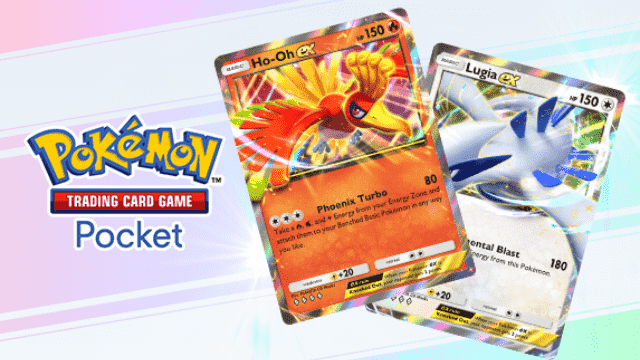
Pokemon TCG Pocket - Ho-Oh Lugia Deck Guide
Pokemon TCG Pocket - Best Tapu Koko Deck Guide