Play PUBG MOBILE on PC Play PUBG MOBILE on PC and Mac
PUBG MOBILE, developed by Level Infinite, is the original battle royale title that brought the genre to mobile devices and established itself as one of the most competitive action shooters available. The game drops 100 players onto massive maps where only one can survive, combining fast-paced firefights, tactical positioning, and moment-to-moment decision-making into an experience that keeps players coming back. If you want to take all of that intensity to a bigger screen, MuMuPlayer lets you run PUBG MOBILE on PC with full control customization and smooth performance.
PUBG MOBILE delivers an impressive range of content built around its core survival formula. Multiple maps and rotating game modes give players consistent variety, whether they prefer the slower, methodical pace of classic battle royale or the quick aggression of 4v4 Arena matches. Infection Mode and Payload offer additional ways to play that break from the standard format. The game features an extensive arsenal of firearms with realistic handling, customizable controls, a dedicated training mode, and voice chat support, all designed to keep gunplay feeling responsive and rewarding on a mobile platform.
Playing PUBG MOBILE through MuMuPlayer on PC brings meaningful advantages to every match. The larger display gives you a wider field of view and makes spotting distant enemies far easier than on a small phone screen. Keyboard and mouse input through MuMuPlayer allows for precise aiming and faster movement responses, which matters greatly in high-pressure late-game situations. MuMuPlayer also delivers stable frame rates that help the game run smoothly during intense multi-squad firefights, reducing the chance of lag at critical moments. For players who spend long sessions grinding ranked matches or completing missions, the comfort of a PC setup through MuMuPlayer makes the experience significantly more enjoyable.
Download PUBG MOBILE on PC or Mac with MuMuPlayer, get a PC like gameplay along with smart control and high graphics performance.
MuMuPlayer, the top Android emulator for PC and Apple silicon Mac, delivers an optimal gaming experience with minimal RAM usage and high FPS. It also allows you to create multiple instances of the emulator and run several games simultaneously, thanks to its Multi-instance feature. Its advanced emulator features ensure smooth gameplay, even on low-end PCs.
Download and play PUBG MOBILE on PC or Mac with MuMuPlayer and start enjoying your gaming experience now.
About the Game
PUBG MOBILE stands as the game that defined battle royale on mobile, and years after its launch it continues to set the standard for the genre. Developed by Level Infinite, it places up to 100 players on a single map and challenges every one of them to outlast the rest. There are no respawns, no second chances in the final circle, and no shortcuts to victory. Every match demands awareness, adaptability, and the ability to make good decisions under pressure.
The foundation of each session is the classic survival loop: land, scavenge for gear, and fight your way through an ever-shrinking safe zone until only one player or team remains standing. What separates PUBG MOBILE from simpler alternatives is the weight it places on that process. Weapons behave differently depending on attachments and range. Vehicles factor into rotations and ambushes. Cover, sound cues, and timing all influence the outcome of engagements in ways that reward players who pay attention.
Beyond the classic format, the game offers several distinct modes that keep the experience from growing stale:
- Classic Battle Royale: The full 100-player survival experience across multiple large maps, each with its own terrain layout, vehicle distribution, and strategic flow.
- 4v4 Arena: A compact, fast-paced mode focused entirely on team combat in smaller spaces, ideal for players who want immediate action without the slower pacing of a full battle royale match.
- Payload Mode: An escalated version of the core game that introduces heavy weaponry and mechanics not found in standard play.
- Infection Mode: A team-based mode with an entirely different objective structure, offering a clear change of pace from the survival-focused formats.
The game's weapon roster is one of its strongest elements. Rifles, shotguns, pistols, submachine guns, and sniper platforms all handle distinctly, and the attachment system allows meaningful customization of each firearm. Finding the right combination of scope, stock, and magazine for a given playstyle or situation is part of what keeps inventory management engaging rather than routine.
For players still learning the mechanics, a dedicated training mode provides a space to practice movement, test weapons, and understand recoil patterns without the pressure of a live match. Voice chat integration makes coordinating with teammates straightforward, which is especially valuable in squad and duo formats where communication directly affects survival.
The game receives consistent updates that introduce new maps, limited-time events, seasonal content, and balance adjustments. This ongoing development means the meta shifts regularly, keeping veteran players engaged while giving newer ones fresh reasons to explore different strategies and loadouts.
Visually, PUBG MOBILE pushes the boundaries of what mobile hardware can render, with detailed environments, realistic lighting, and character animations that hold up even in close-range encounters. The fidelity of the overall presentation contributes to an atmosphere that feels grounded compared to more stylized competitors in the genre.
Whether the goal is climbing the ranked ladder, completing daily missions, or simply jumping into a quick Arena session between other activities, PUBG MOBILE provides enough structural variety to support different kinds of engagement. The combination of a demanding core mode and lighter supplementary options means there is always something relevant to play regardless of how much time is available.
Emulator Features
Highest Android 15 Support Best Compatibility on Mac

With a smart button scheme and image recognition function, provide a more concise UI, and support custom button mapping to meet different needs. With a smart button scheme and image recognition, enjoy a cleaner UI and custom button mapping to fit different gaming needs on Mac.

Run multiple games independently at the same time, easily manage multiple accounts, play games while hanging. Take your Mac gaming further with multiple independent instances, easy account management, and seamless AFK gaming on Apple Silicon Mac.

Break through FPS limit, and enjoy a seamless gaming experience without lag and delay! Break through FPS limits for a seamless, lag-free gaming experience on MacBook, Mac mini, iMac, and Mac Studio.

Get a 3-second startup with 52% less memory usage and 65% more stability. Enjoy 3-second startup, 52% less memory usage, and 65% greater stability on Apple Silicon Mac.
How to Download and Play PUBG MOBILE on PC and Mac
Installation Guide
Download MuMuPlayer
Download MuMuPlayer and install it on your PC or Mac
Sign-in Google Store
Complete Google sign-in to access the Play Store
Search and Install
Search PUBG MOBILE in the Play Store
Enjoy Gaming
Enjoy 120 FPS high-def gameplay with big screen
System Requirements
Windows PC
Vulkan / DirectX supported. 4 cores + 4GB RAM recommended. Up to 240 FPS. VT required.
macOS
Recommended: Apple Silicon Mac with 8GB RAM or above. Up to 240 FPS.
Get more news, guides and redeem codes about PUBG MOBILE
PUBG Mobile V4.3 Beta: A First Look at the Massive 8th Anniversary Update
BGMI New Honor Spin Guide: The Hermit’s Blessing Explained
BGMI 4.1 Version Guide: Full Breakdown of New Features
BGMI Frosty Funlands Event Map Guide - How to Win & Navigate
PUBG Mobile 4.1 Sensitivity Settings Guide for Competitive Play

PUBG Mobile x G-DRAGON Collaboration Event: Rewards, Dates & How to Join
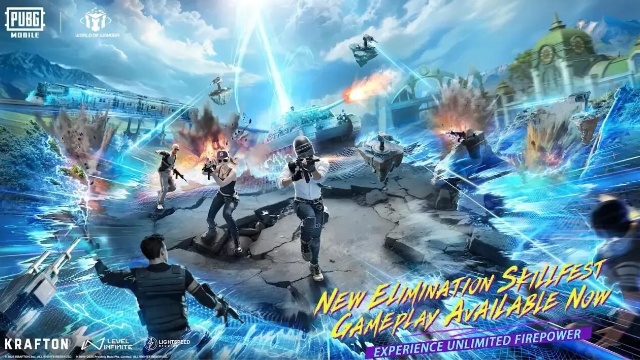
PUBG Mobile WOW 1.0 Mode – Complete Guide, Maps & Features
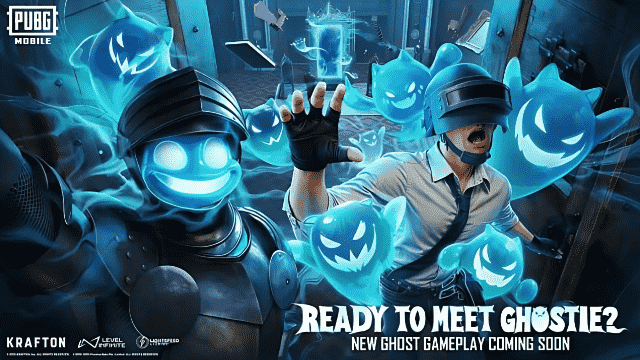
PUBG Mobile 4.0 Spooky Soiree Season – New Features, Rewards & Updates

