Play Puzzle SEVENTEEN on PC and Mac
Download Puzzle SEVENTEEN on PC or Mac with MuMuPlayer, get a PC like gameplay along with smart control and high graphics performance.
MuMuPlayer, the top Android emulator for PC and Apple silicon Mac, delivers an optimal gaming experience with minimal RAM usage and high FPS. It also allows you to create multiple instances of the emulator and run several games simultaneously, thanks to its Multi-instance feature. Its advanced emulator features ensure smooth gameplay, even on low-end PCs.
Download and play Puzzle SEVENTEEN on PC or Mac with MuMuPlayer and start enjoying your gaming experience now.
About the Game
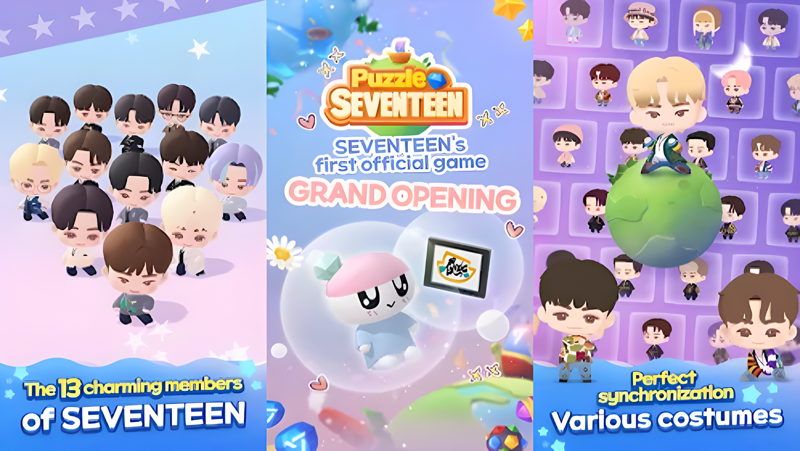
Puzzle SEVENTEEN GRAND OPENING
The official SEVENTEEN game for CARATs is finally released!
Play Puzzle SEVENTEEN PuzzleTEEN now!

🧩Puzzle SEVENTEEN is Right Here
Welcome, Puzzleteen crew, to Puzzle SEVENTEEN! Are you ready for an exciting adventure with Puzzle SEVENTEEN? Fun puzzles and adorable SEVENTEEN members await the Puzzleteen crew's arrival.

🎮 A Special Gift from Pu22le Bo1
Pu22le Bo1 SEVENTEEN's WONWOO has prepared a special gift for the PuzzleTEEN crew. Play now and receive a Pu22le Bo1 logo wall deco personally drawn by WONWOO! For more details, see the Puzzle SEVENTEEN notice!

💎WITH SEVENTEEN
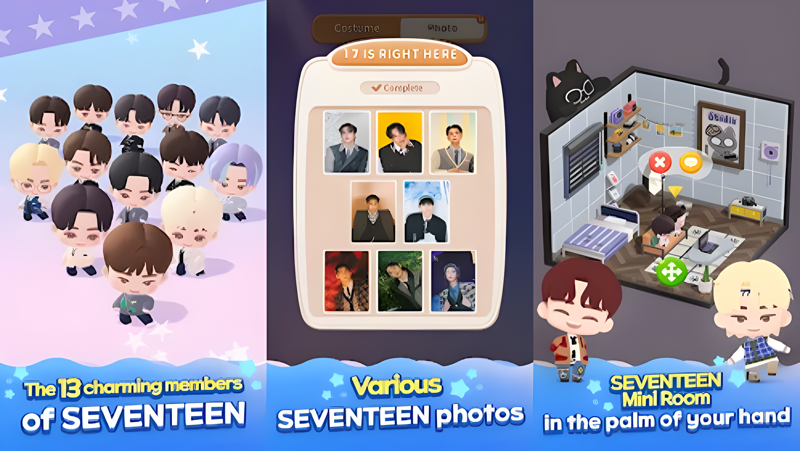
SEVENTEEN has prepared this for CARATs💎Puzzle SEVENTEEN💎, a game that SEVENTEEN participated in from development. The SD characters and stories of SVT members with high synchronization, including S.COUPS, JEONGHAN, JOSHUA, JUN, HOSHI, WONWOO, WOOZI, THE 8, MINGYU, DK, SEUNGKWAN, VERNON, and DINO, are packed with charm. Enjoy the detailed dialogue, fully reflecting the charm of the 13 members. It's a puzzle game created just for CARATs, incorporating the diverse tastes and ideas of each member.

💎PLAYING SEVENTEEN
Enjoyable puzzle play with SEVENTEEN. Very Nice, CLAP, Oh My, HOT, Super, God of Music, MAESTRO, and more! A simple and easy match-3 puzzle game featuring SEVENTEEN's K-pop music. Feel the thrill of completing stages with the support of SEVENTEEN members and various boosters.

💎COLLECTING SEVENTEEN
Available only in Puzzle SEVENTEEN. Exclusive photocards for CARATs that can only be found in Puzzle SEVENTEEN. Collect new looks of members with cute SD characters and various photocards. Customize your own idol with various K-pop costumes and hairstyles inspired by album concept photos and concert stage outfits.

💎DECORATING SEVENTEEN
Decorate the rooms of SEVENTEEN members. Freely arrange the interior decor and customize SEVENTEEN members' Mini Room. Check out the cute reactions of the members through interactive events.

💎GOING SEVENTEEN
SEVENTEEN is decorating a secret place for CARATs! Starting Isle, Ice Island, Super Island, City Island, you name it! Many other charming islands are waiting for CARATs. Embark on an adventure with SEVENTEEN aboard the ship CARAT to our exclusive secret location.

See you in Puzzle SEVENTEEN!
Emulator Features

With a smart button scheme and image recognition function, provide a more concise UI, and support custom button mapping to meet different needs.

Run multiple games independently at the same time, easily manage multiple accounts, play games while hanging.

Break through FPS limit, and enjoy a seamless gaming experience without lag and delay!

Get a 3-second startup with 52% less memory usage and 65% more stability.
How to Download and Play Puzzle SEVENTEEN on PC and Mac
Installation Guide
① Download and install MuMuPlayer on your PC or Mac. It will identify automatically your current system and download the latest version.
② Start MuMuPlayer and complete Google sign-in to access the Play Store, or do it later.
③ Search Puzzle SEVENTEEN in the Play Store.
④ Complete Google sign-in (if you skipped step 2) to install Puzzle SEVENTEEN.
⑤ Once installation completes, click the Puzzle SEVENTEEN icon on the home page to start the game.
⑥ Enjoy playing Puzzle SEVENTEEN on your PC or Mac with MuMuPlayer.
Installation Guide
Recommended computer configuration
For Windows:4-core CPU, 4GB RAM, i5 OS, GTX950+ graphics card
For macOS: 4-core CPU, 4GB RAM
Recommended Android Device performance settings
Graphics renderer mode
Vulkan and DirectX both supported
Performance Settings
Recommended performance settings: 2 cores, 2GB. >>How to adjust performance settings
Recommended Android Device Display Settings
Resolution Settings
Go to Device Settings > Display > Resolution Settings to adjust your device's resolution as needed.
FPS Settings
MuMuPlayer supports up to 240 FPS. >>How to enable high FPS mode
Recommended to enable VT
Enabling VT will significantly improve emulator performance, reduce screen freezing, and make games run more smoothly. >>How to enable VT