在PC或Mac上玩Tennis TV - Live ATP Streaming
使用MuMu模擬器在PC或Mac上下載 Tennis TV - Live ATP Streaming,以獲得類似PC的遊戲體驗以及智能操作和高圖形效能。
MuMu模擬器是適用於PC和Apple M系列晶片的頂級安卓模擬器,可提供最佳遊戲體驗,同時減少記憶體使用量並提高幀率。支援多開功能,可建立多個模擬器並同時運行多個遊戲。其先進的模擬器功能可確保即便在低階電腦也能流暢運行遊戲。
立即在PC或Mac上使用MuMu模擬器下載並暢玩Tennis TV - Live ATP Streaming吧。
Tennis TV is the official live video streaming app of the ATP Tour. Watch live tennis on your Android TV, Phone or Tablet, as well as full match replays, classic matches, highlights and features. With Tennis TV you get live tennis online, whenever and wherever you want.

Features:
• Live streaming of ATP tournaments
• Up to 8 courts of simultaneous coverage
• Replays of every match available all year
• Nitto ATP Finals, Next Gen ATP Finals and the new ATP Cup in 2020
• ATP Masters 1000, 500 and 250 tournaments
• Archive of full-length classic matches featuring Federer, Nadal, Murray, Djokovic, Nishikori, Zverev, Thiem and many more

Territorial blackout restrictions may apply for a small number of ATP 250 tournaments. Service does not include WTA or Grand Slams.

Tennis TV subscription

Tennis TV is free to download and browse, and some short videos on the FEATURES channel can be watched without a subscription. To stream live matches, watch replays and match highlights, as well as access the full collection of video and replays, a monthly or annual subscription is required.

Subscriptions automatically renew unless auto-renew is turned off at least 24 hours before the end of the current subscription. Auto-renewal may be turned off by going to the user's Account Settings after purchase. No cancellation of the current subscription is allowed during the active subscription period.

Terms and conditions: https://www.tennistv.com/terms-and-conditions
Privacy Notice: https://www.tennistv.com/privacy-notice
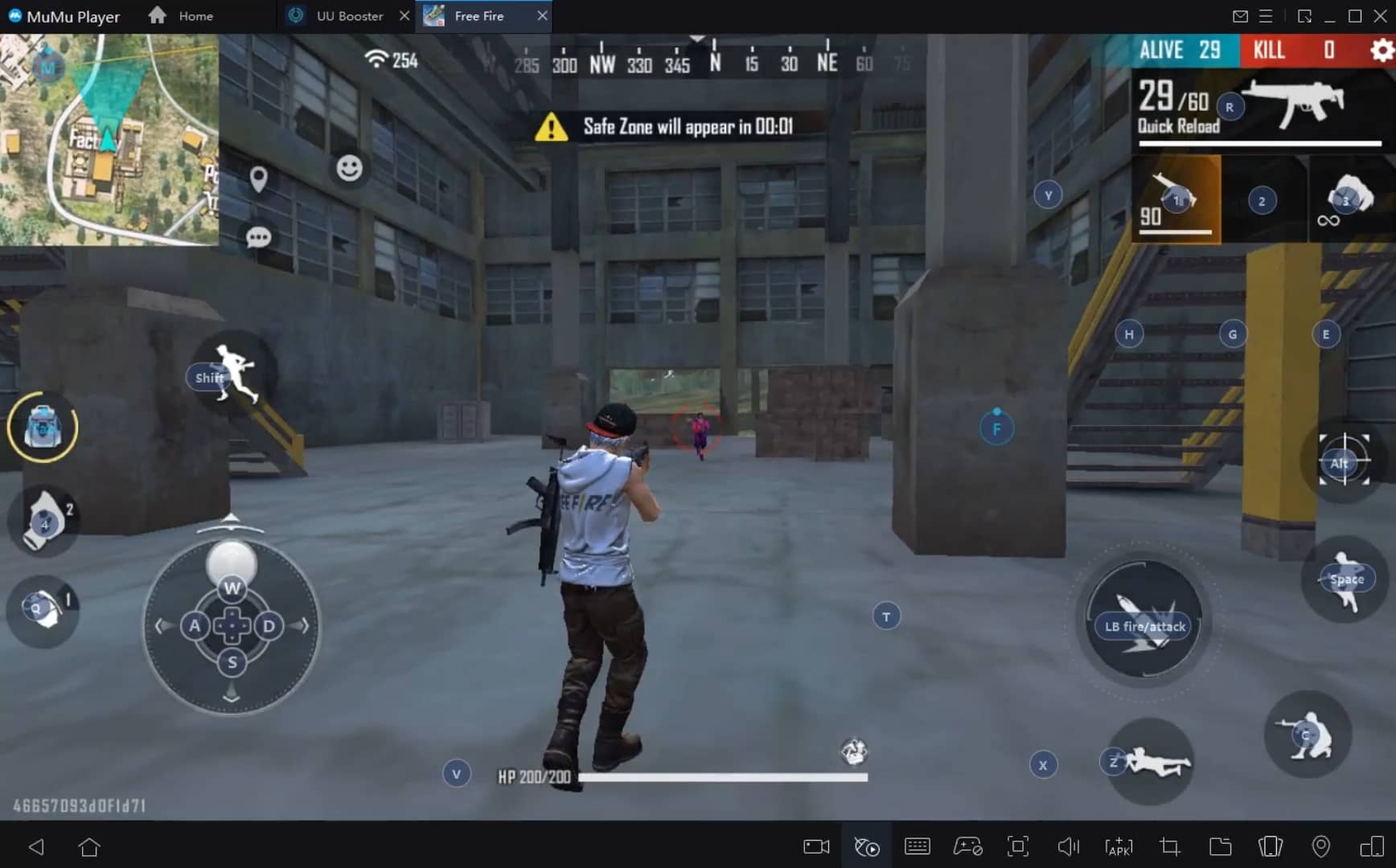
提供默認鍵鼠方案,支持自定義鍵鼠映射,適配Mac觸控板手勢,滿足不同遊玩需求。
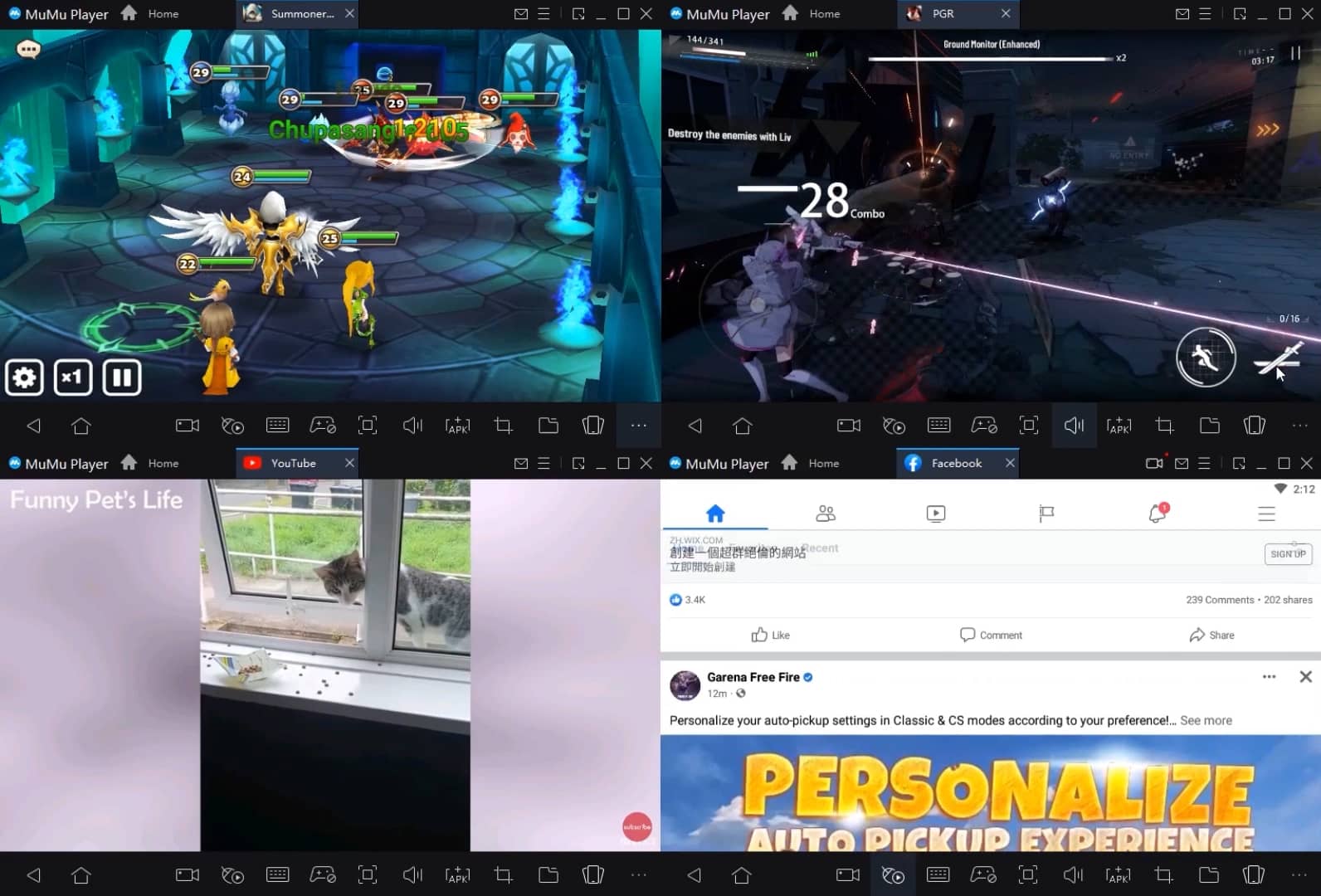
支持無限多開模擬器及應用,拖標籤輕鬆分屏,同步操作高效暢玩。
獨家圖形技術,最高支持240幀超高清4K畫質,畫面無延遲,縱享絲滑遊戲體驗。
操作錄製全新升級,支持仿真模式,標籤切換錄製、綁定標籤執行,一鍵刷材料過副本清體力,輕鬆解放雙手。
MuMu模擬器推薦配置
建議電腦配置: CPU4核+ 內存4G+ 系統i5+ 顯卡GTX950+
建議開啟VT: 開啟VT後將大幅提升模擬器性能,減少畫面卡頓,遊戲運行更流暢>>如何開啟VT
建議性能設置: 2核2G >>如何調整性能設置
模擬器顯卡渲染模式: Vulkan、DirectX均可
安裝教程
① 在您的PC或Mac上下載並安裝MuMu模擬器。它將自動識別您目前的系統並下載最新版本。
② 啟動MuMu模擬器並完成谷歌登入以存取谷歌商店,或稍後再執行此操作。
③ 在谷歌商店中搜尋Tennis TV - Live ATP Streaming。
④ 完成谷歌登入 (如果跳過第2步) 以安裝Tennis TV - Live ATP Streaming。
⑤ 安裝完成後,點選桌面Tennis TV - Live ATP Streaming圖示即可開始遊戲。
⑥ 使用MuMu模擬器在PC或Mac上暢玩 Tennis TV - Live ATP Streaming。